

What Can the Planning Agent Do?

The Planning Agent enables continuous, connected planning by combining real-time financial analysis, forecasting, and scenario modeling in a single experience. It surfaces insights proactively, responds to natural language questions, and helps teams evaluate decisions using current data.
Use it when forecasts go stale quickly, planning cycles take too long, or teams need faster scenario analysis to align financial and operational decisions.

Planning Agent Dashboards
Use this section to give context to the images and/or videos that will be displayed below.
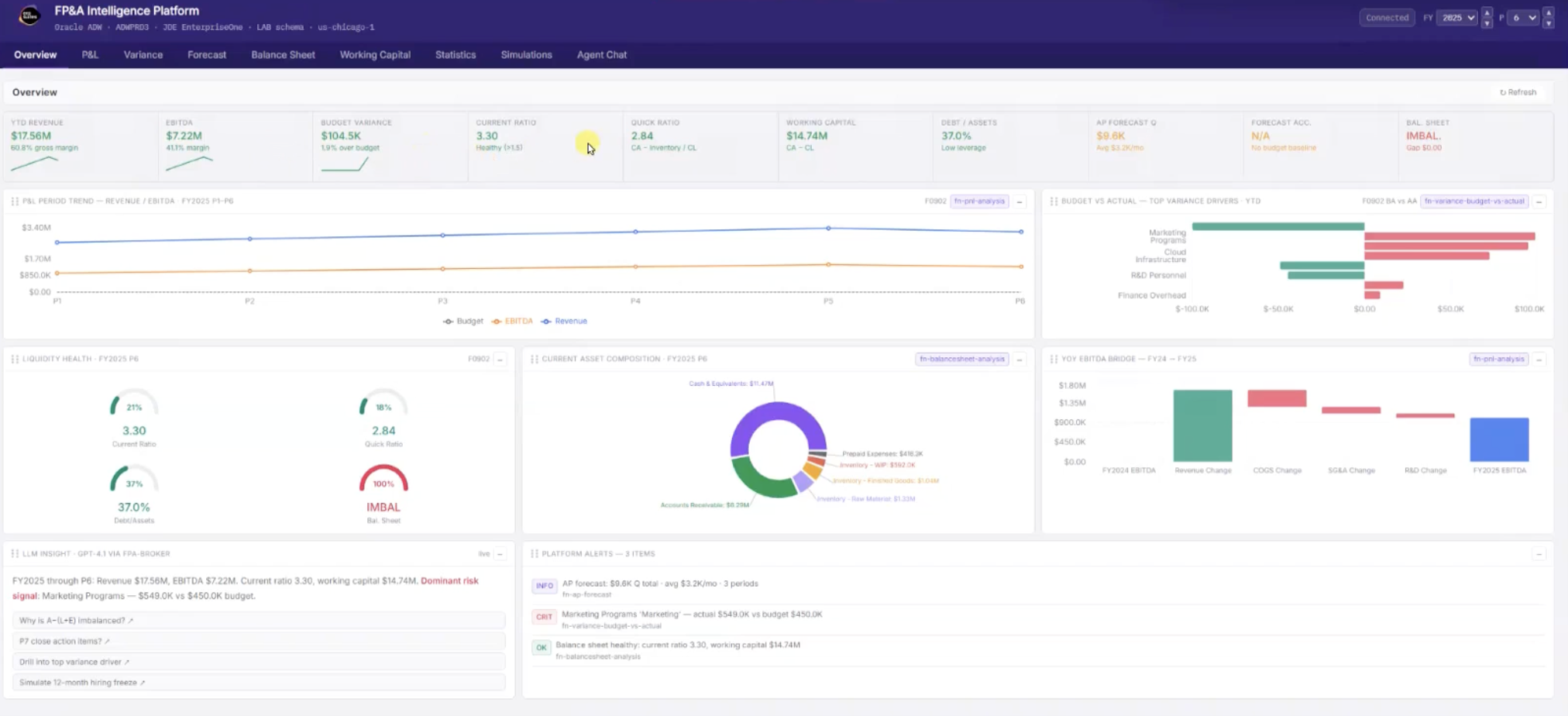
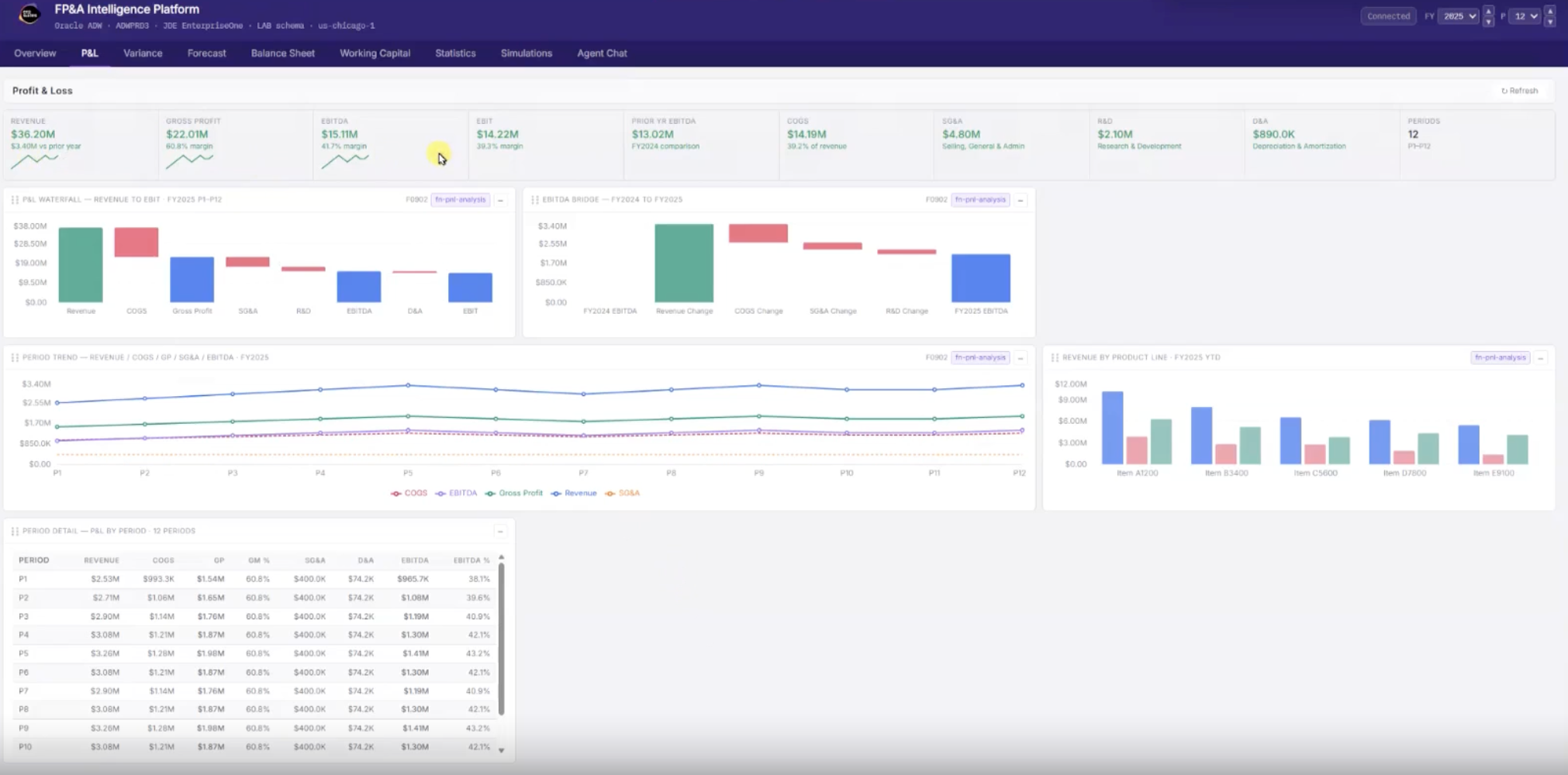
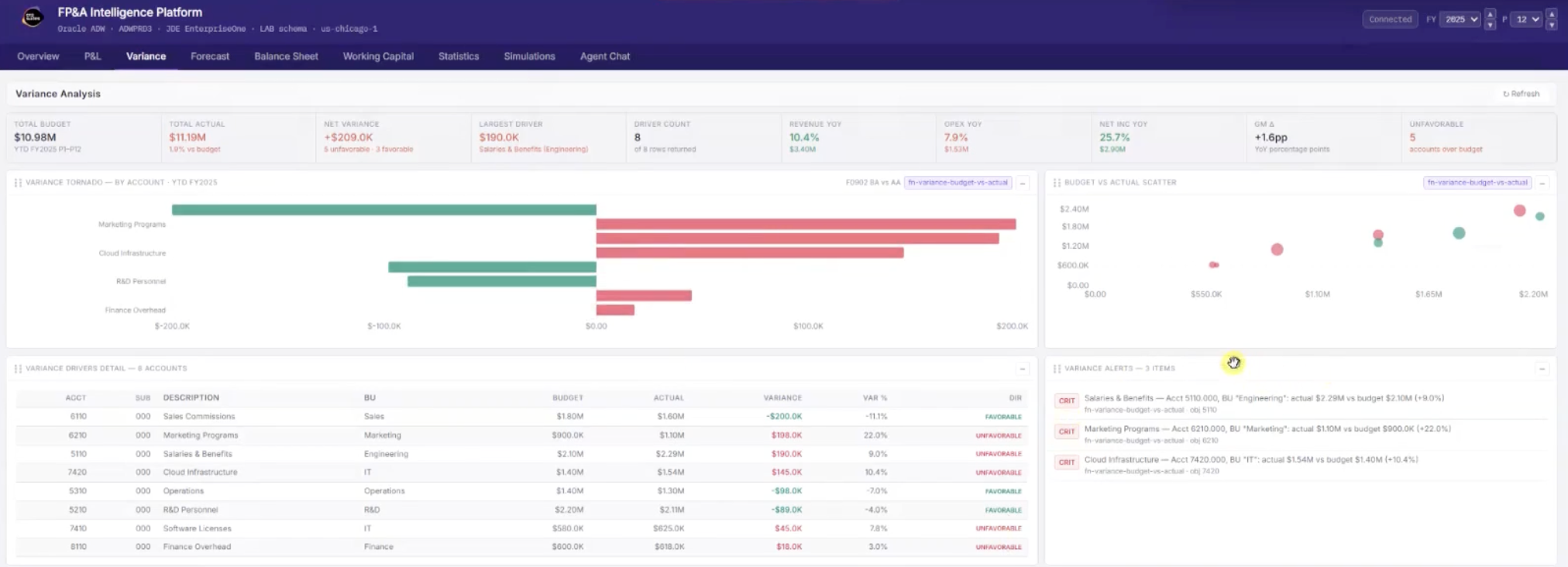
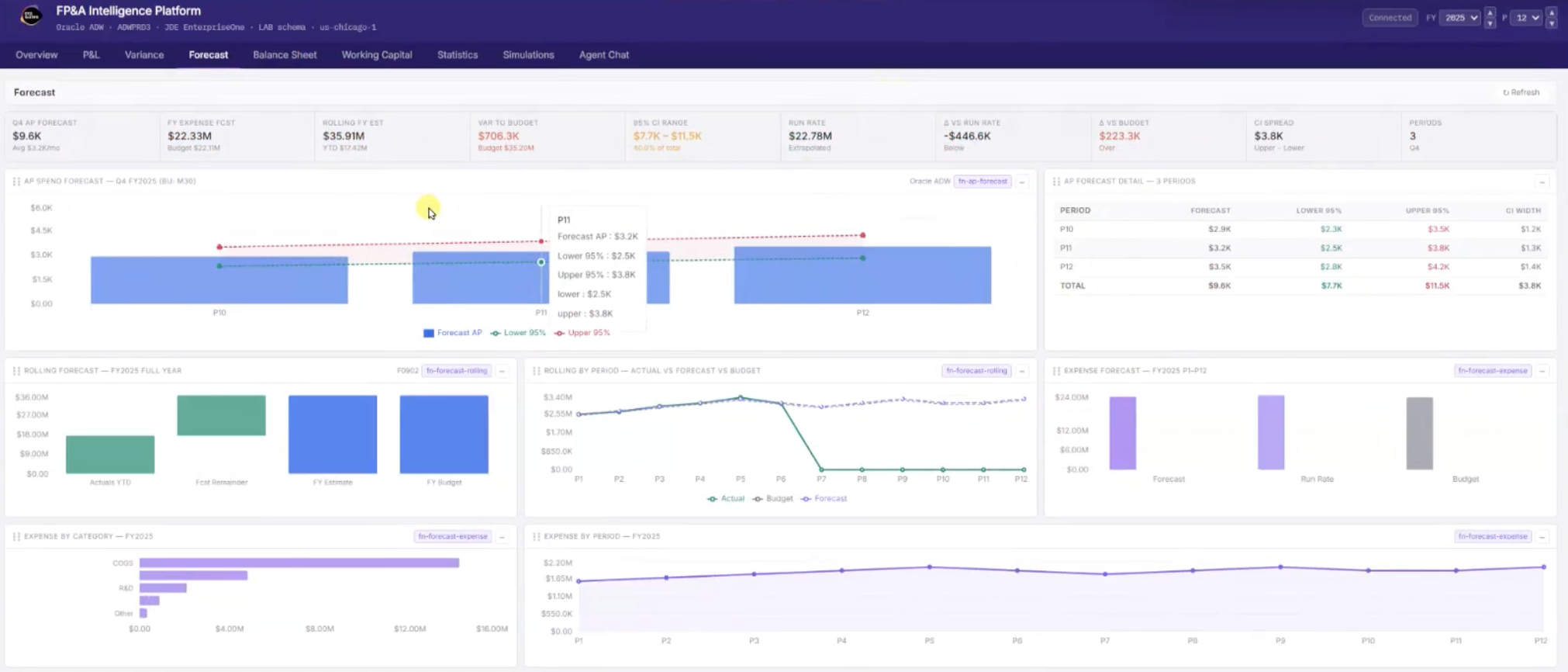
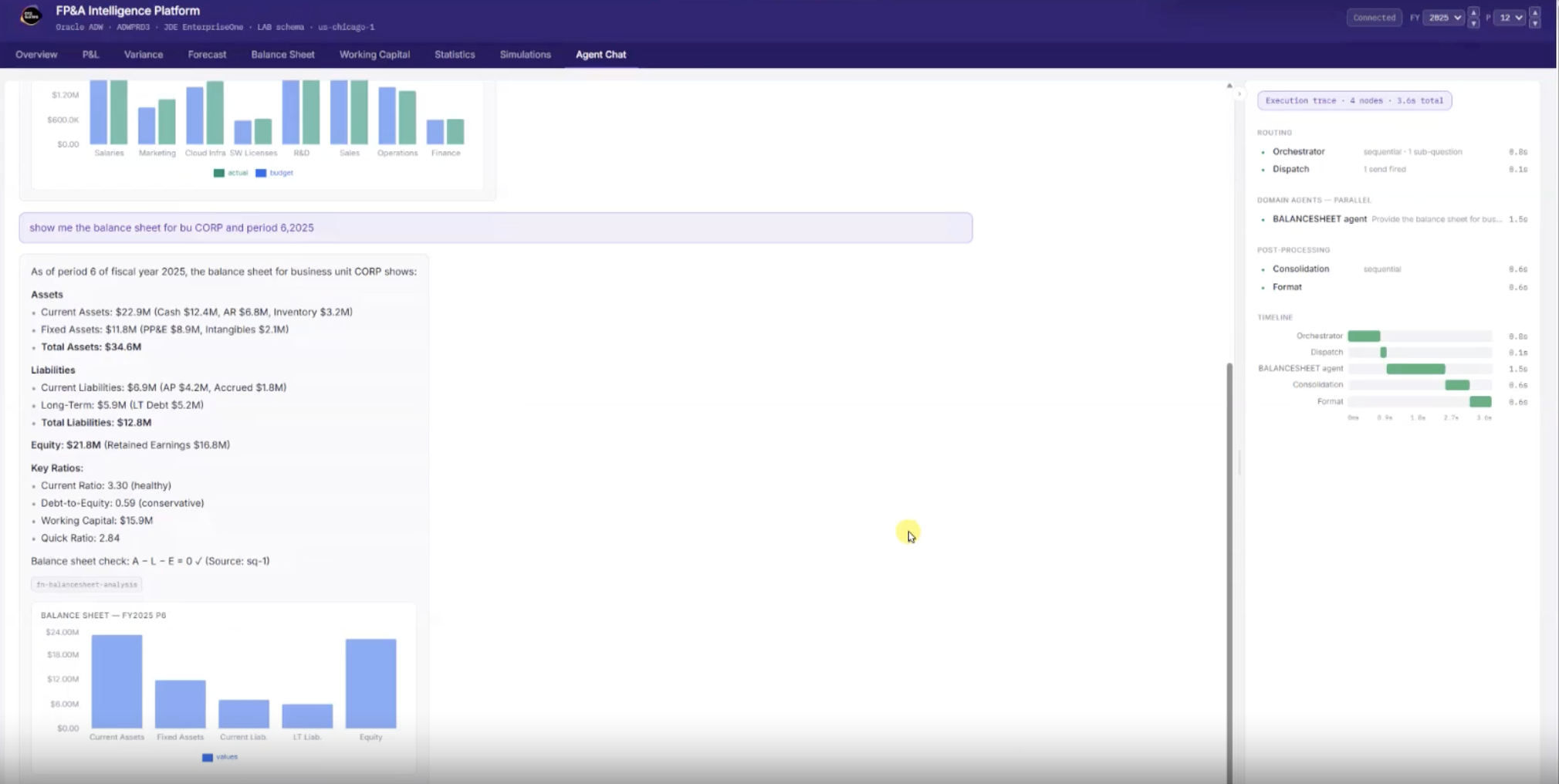
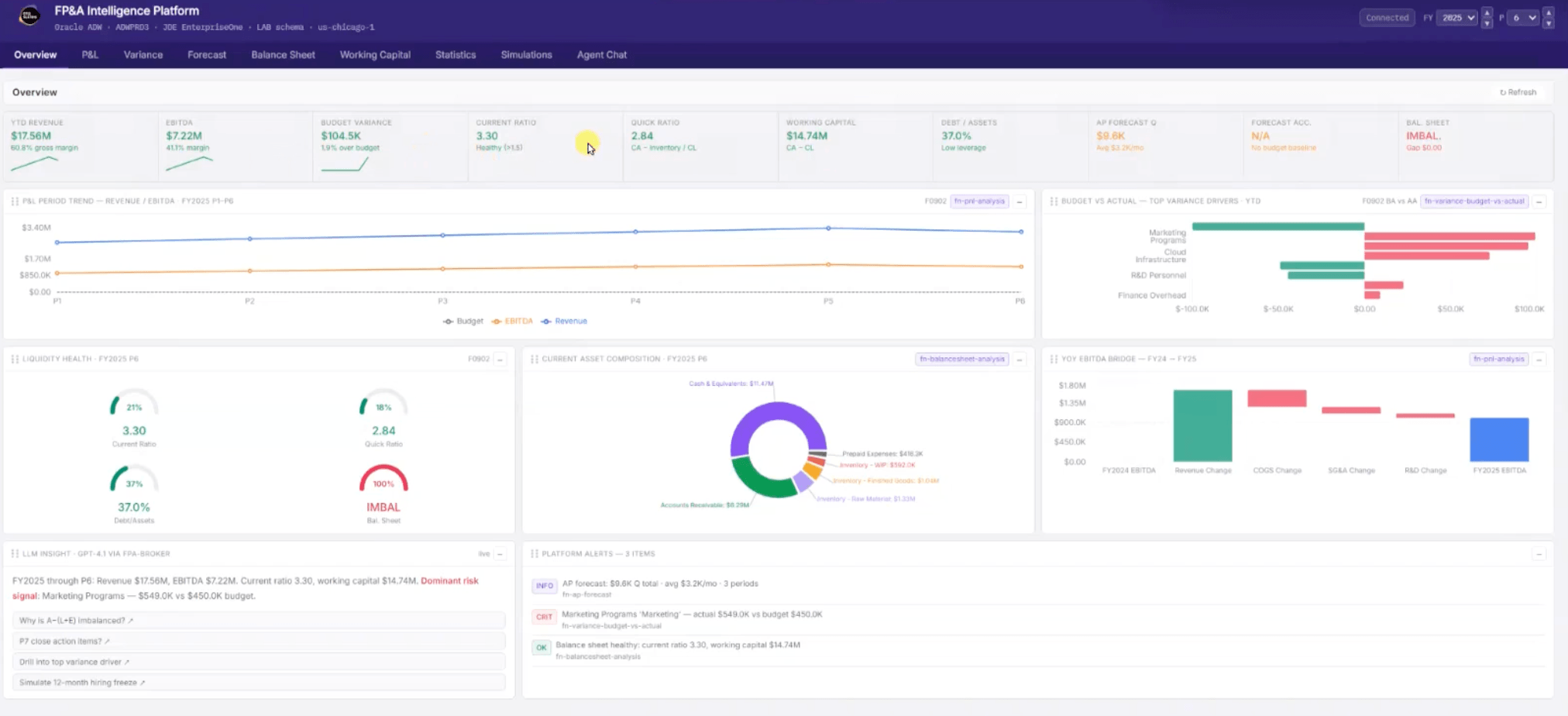
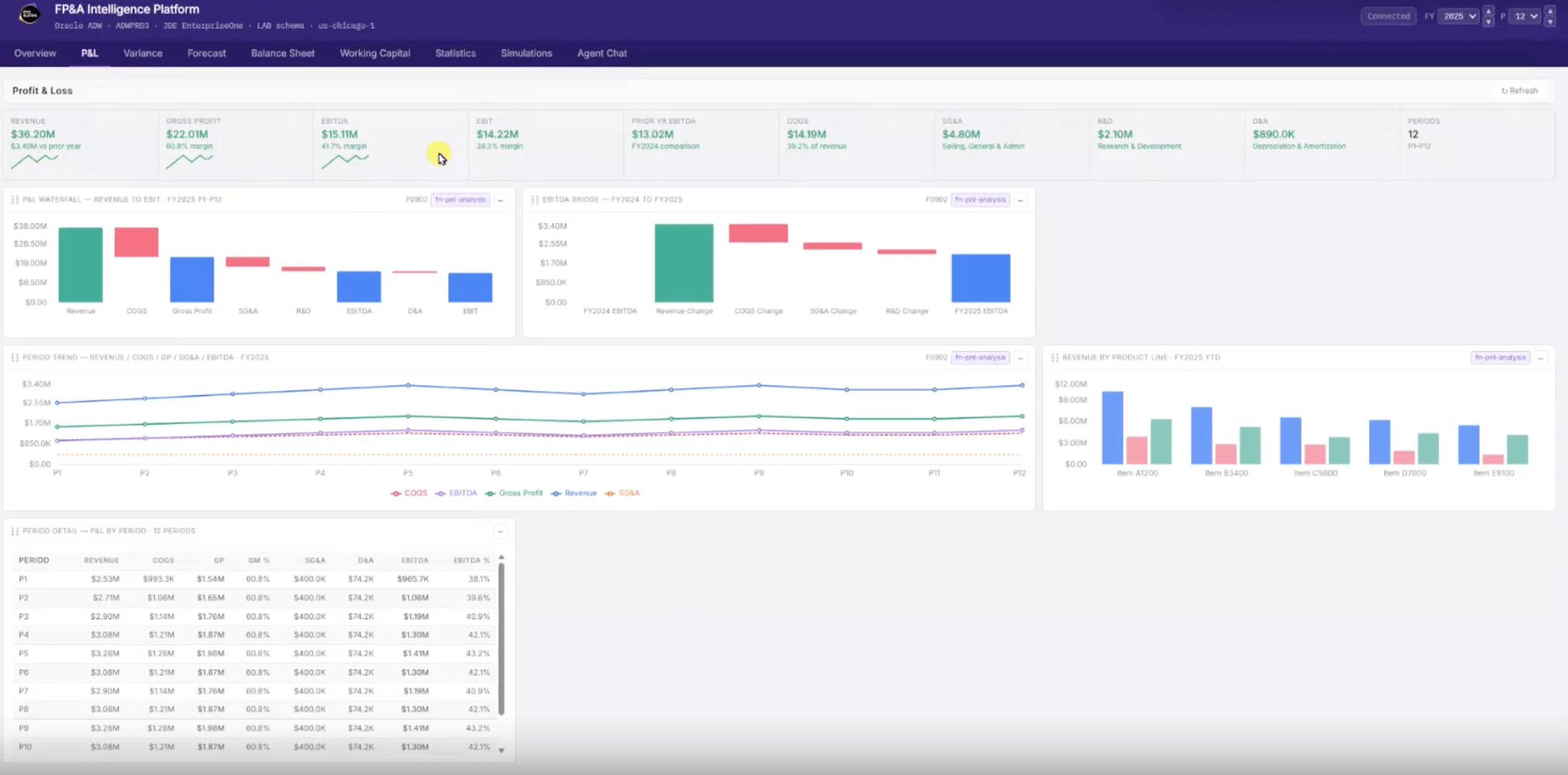
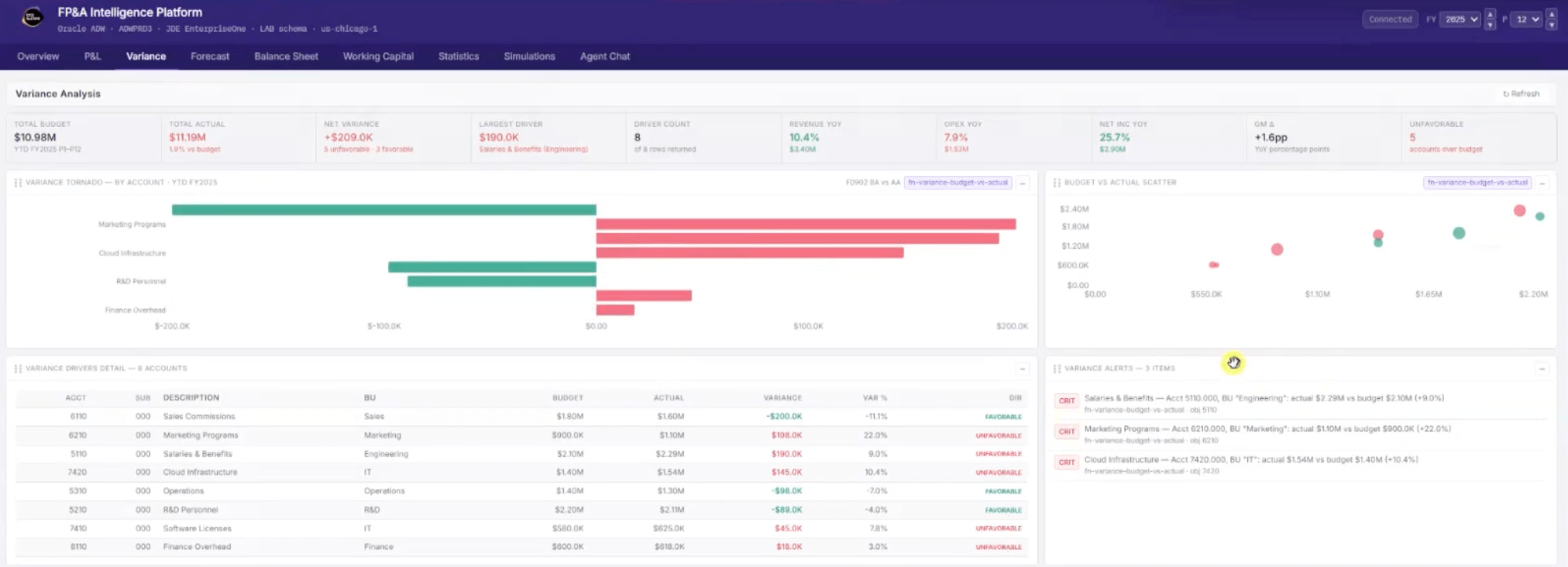
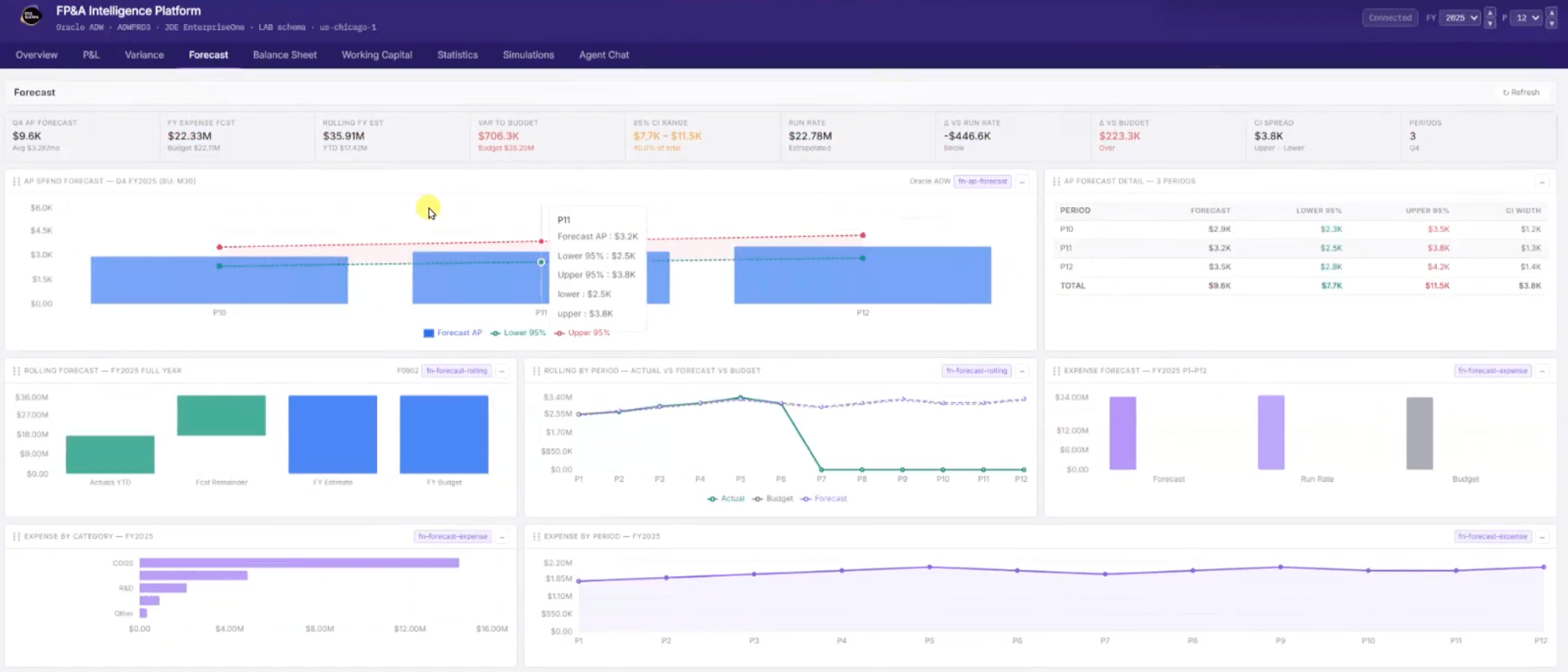
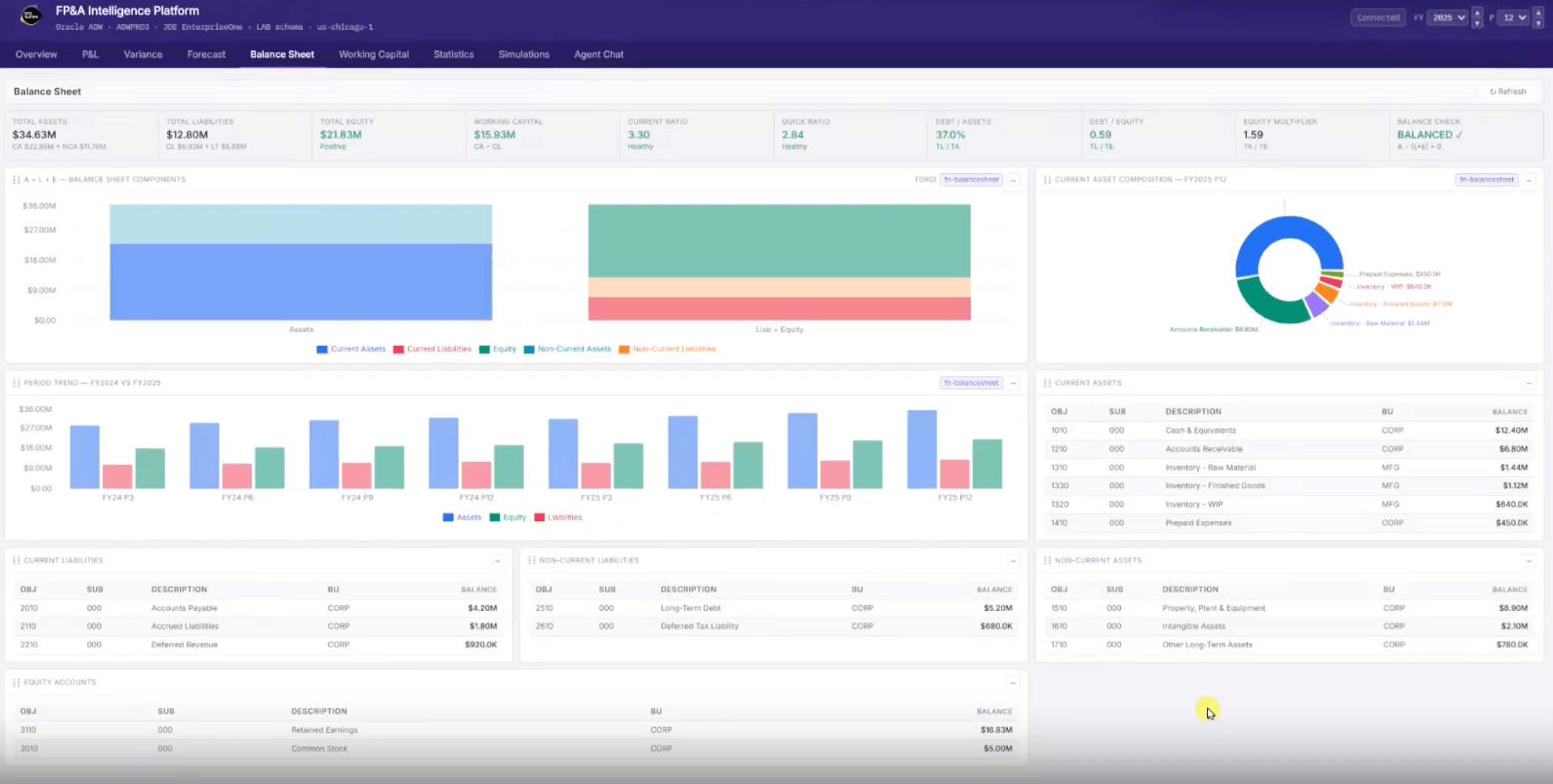
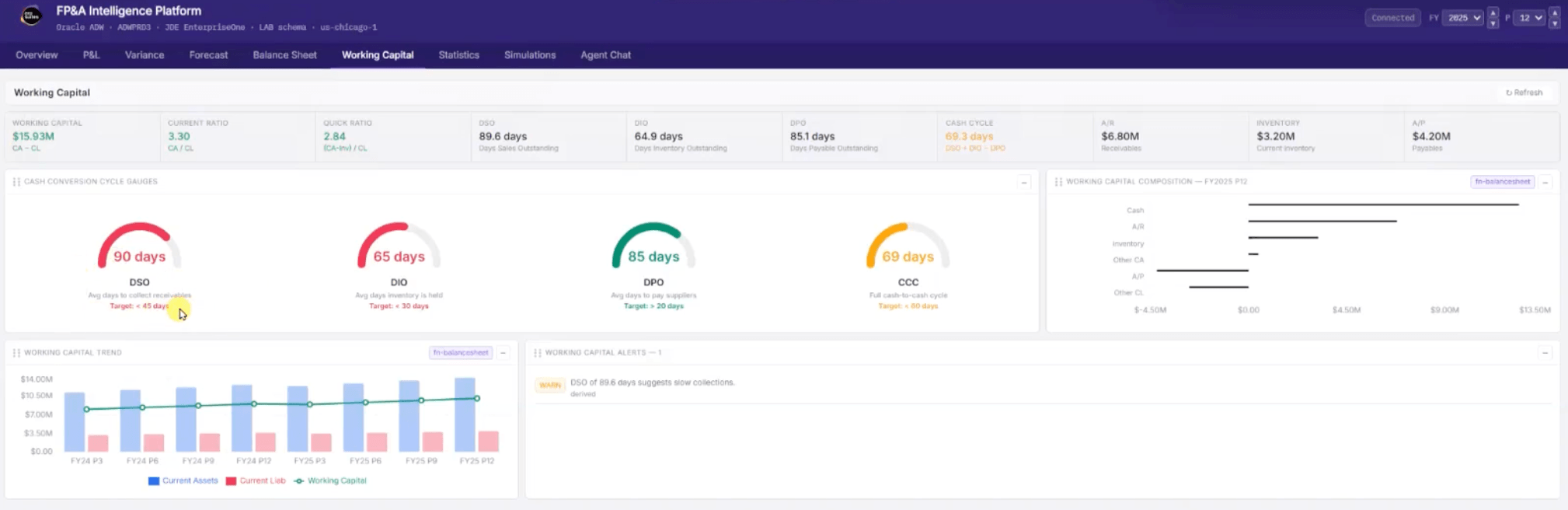
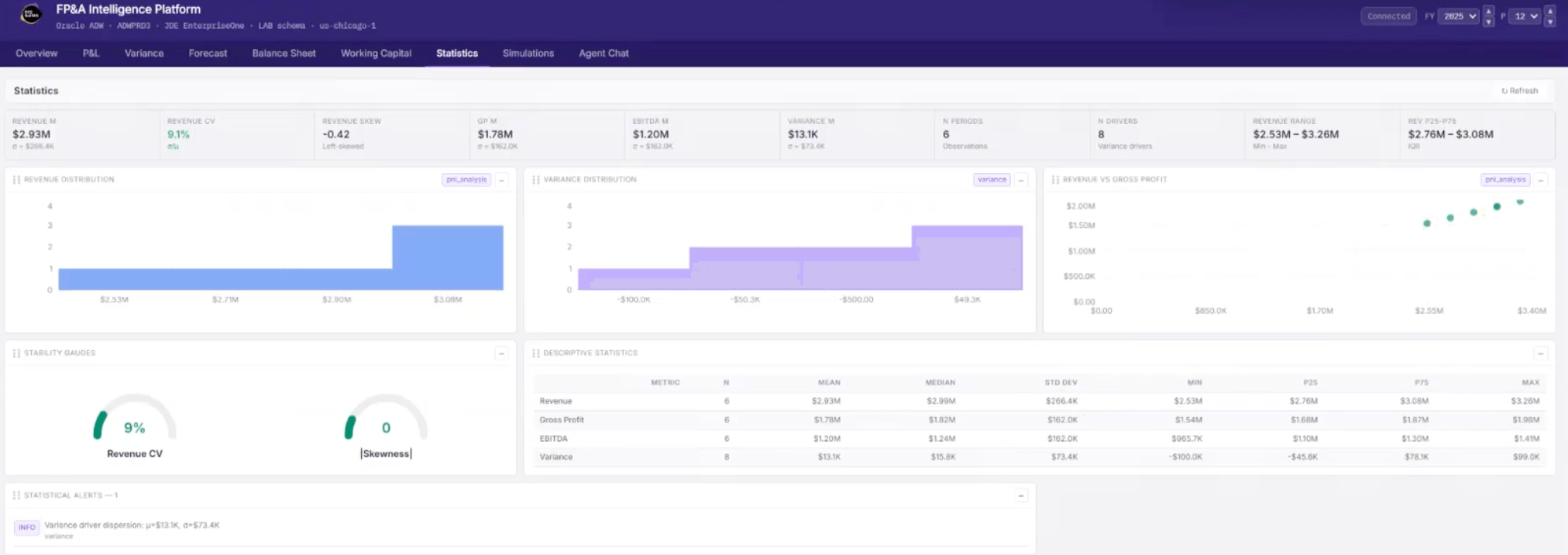
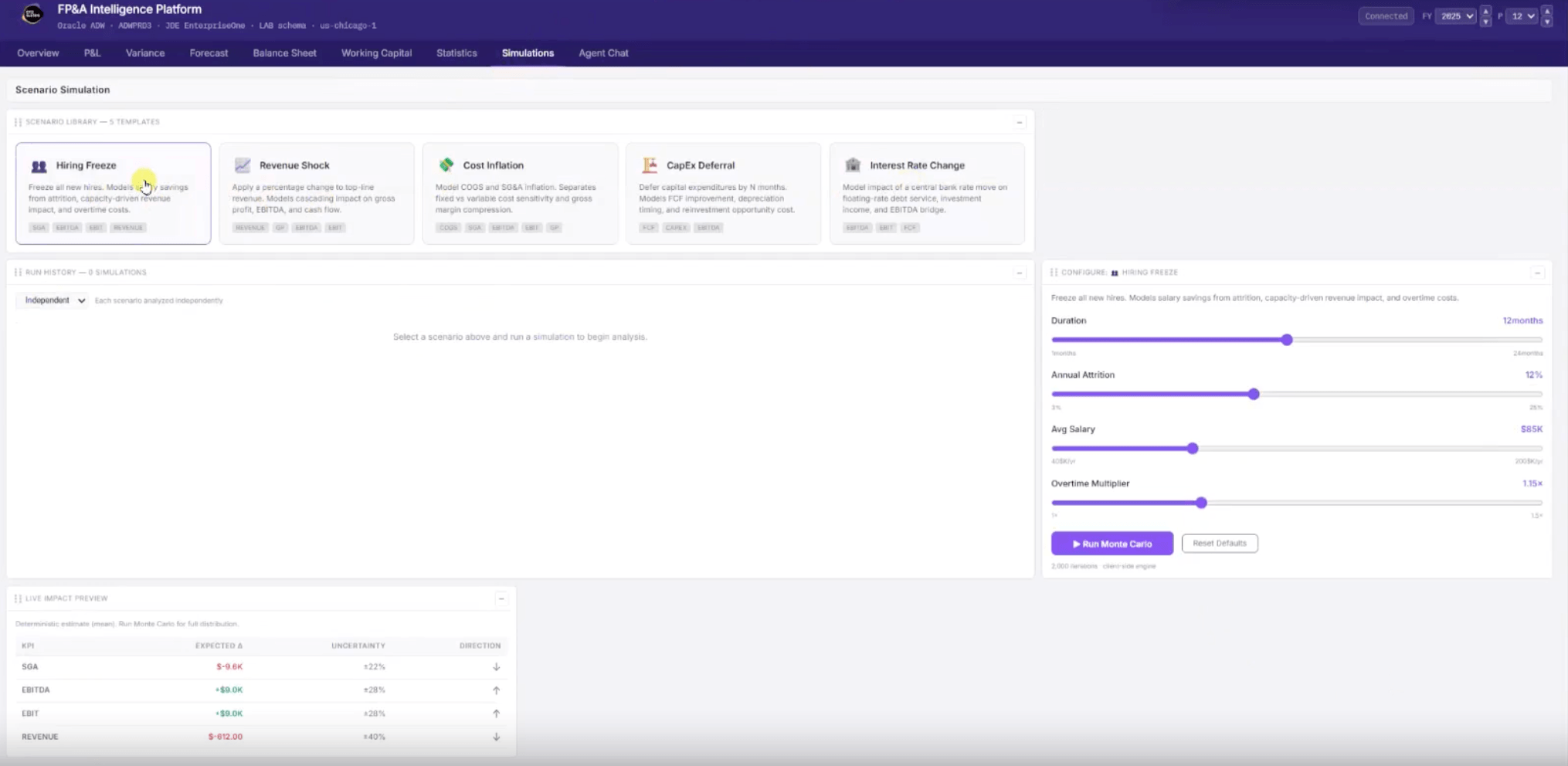
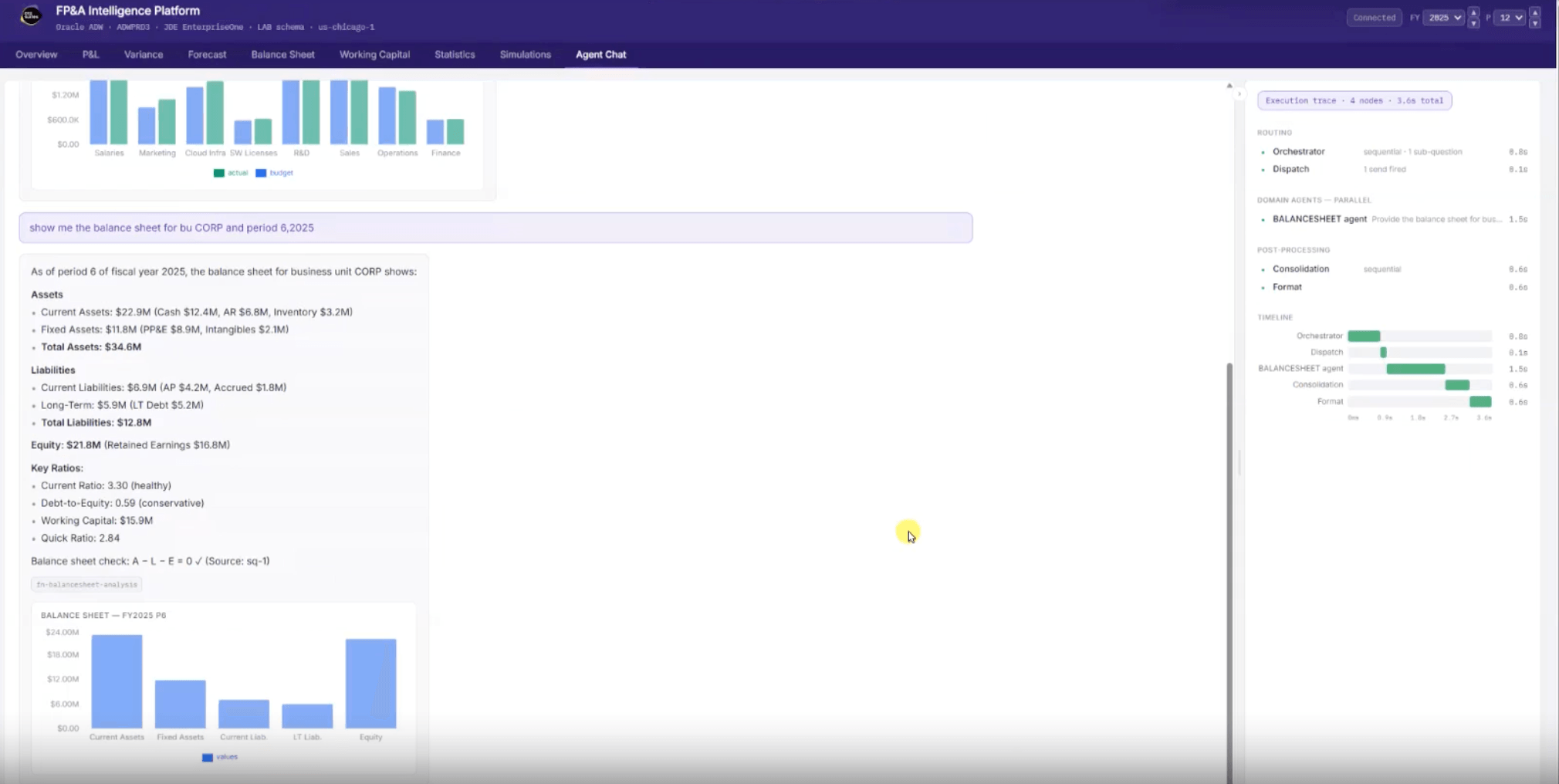
Planning Agent Demo
See how the Planning Agent compresses the time between financial questions and actionable answers:
- View a real-time financial overview with revenue, trends, and key metrics in a single dashboard
- Analyze profit and loss performance with period-based trends and drilldowns
- Identify top variance drivers instantly with visual breakdowns of favorable and unfavorable impacts
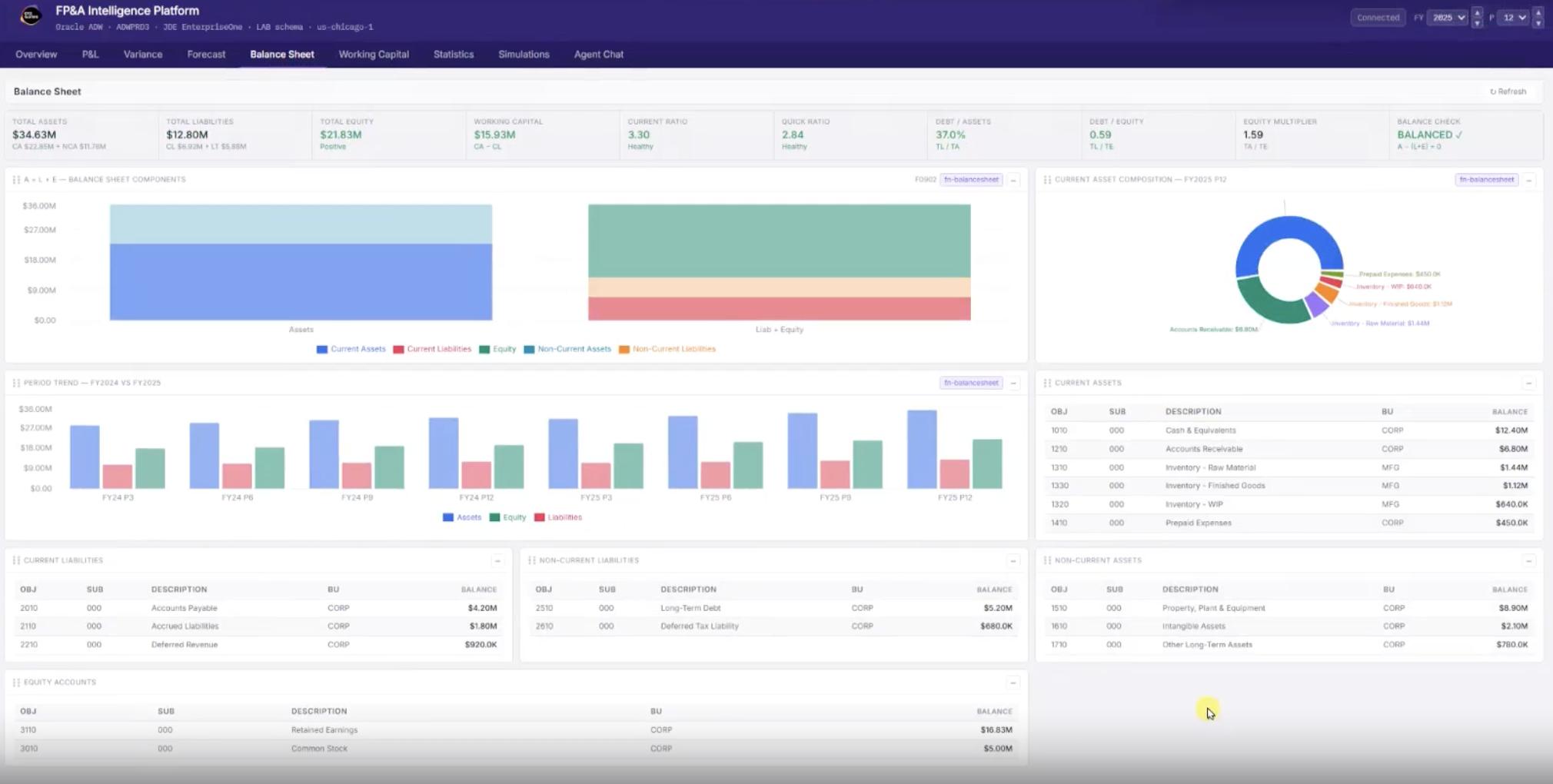
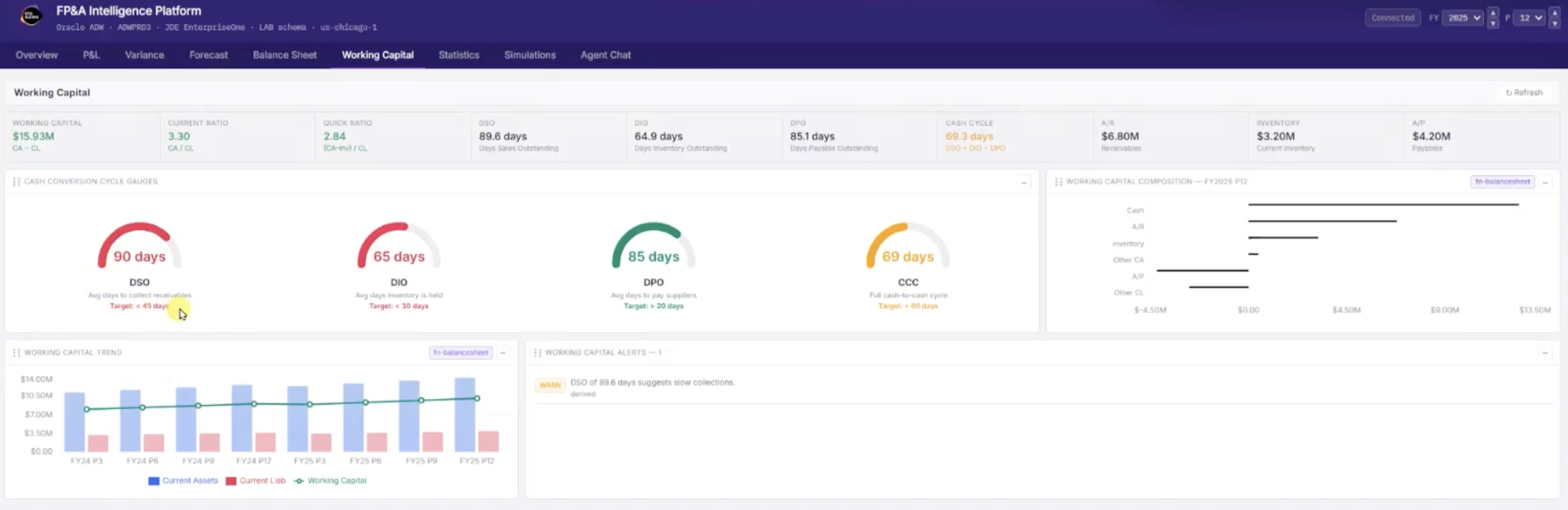
- Explore balance sheet and working capital health with built-in indicators and trend analysis
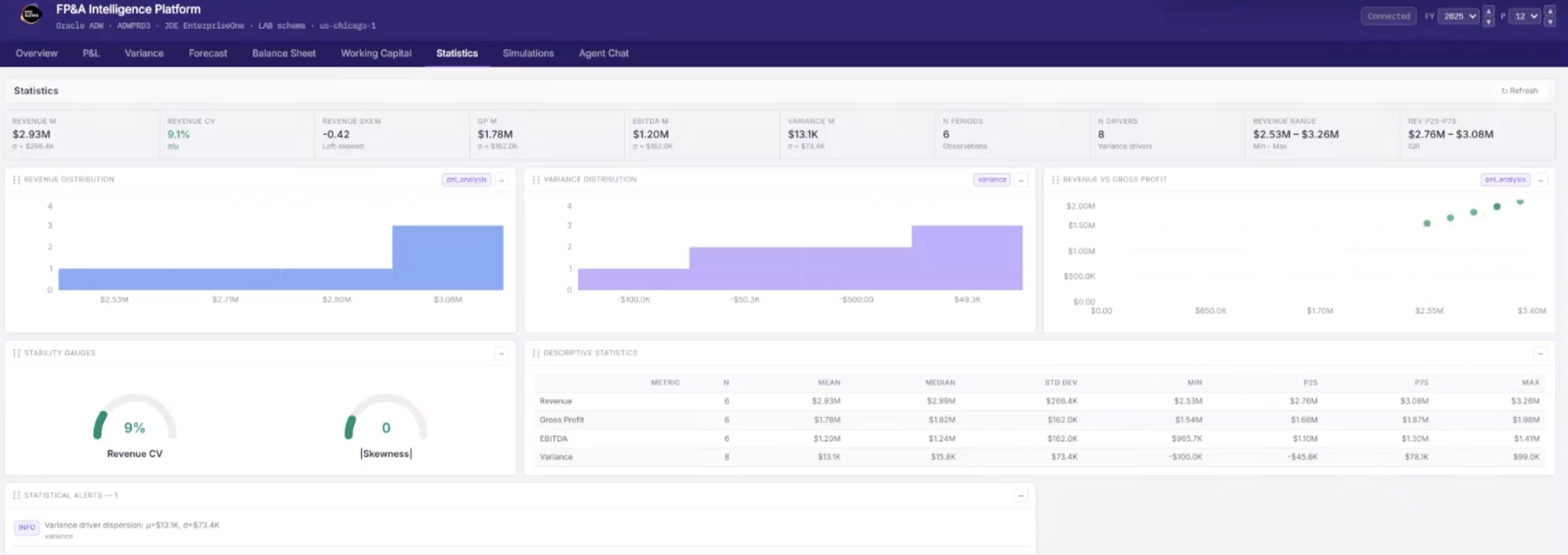
- Evaluate performance stability using statistical measures like mean, variance, and deviation
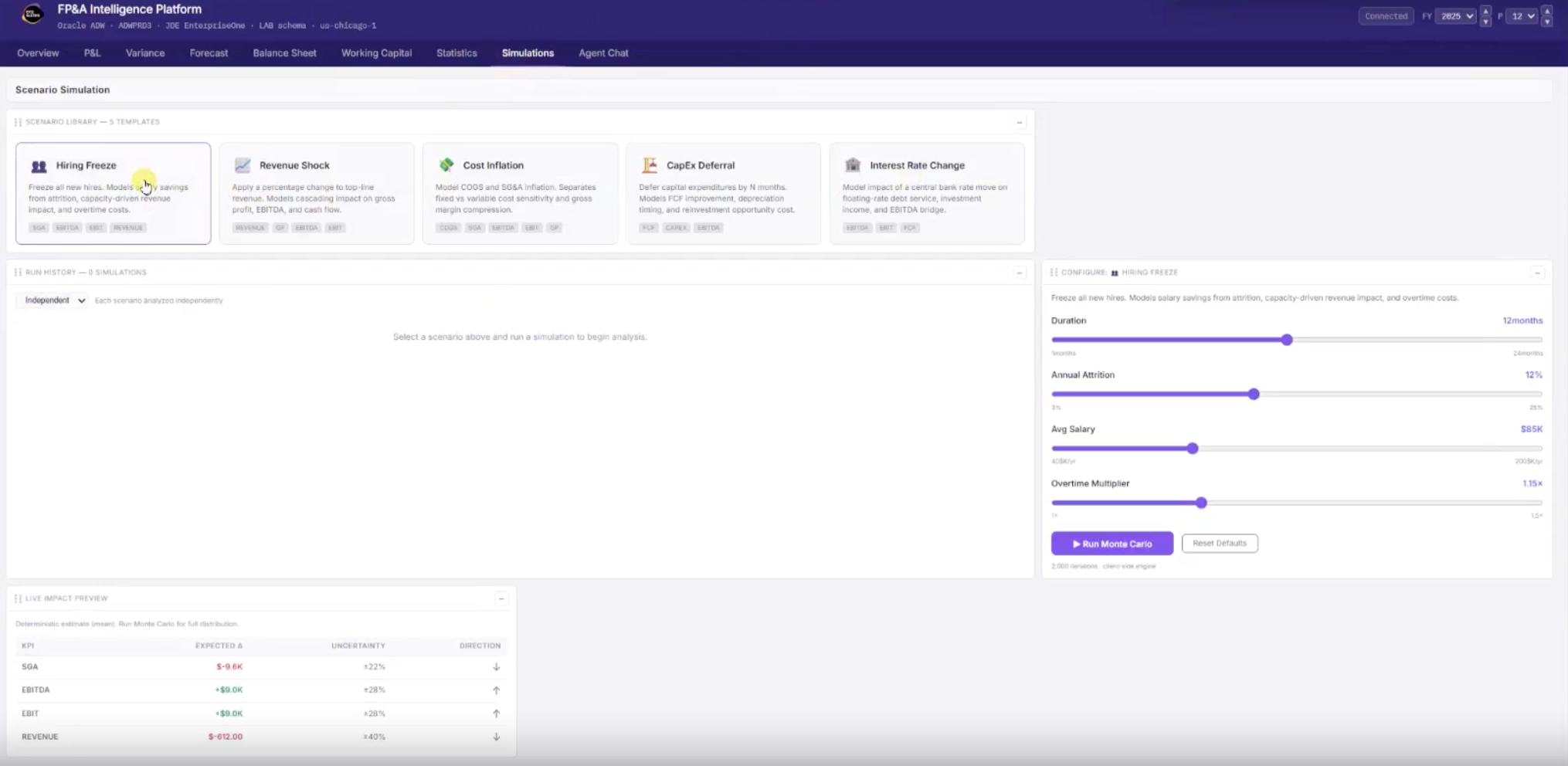
- Run “what-if” scenarios and Monte Carlo simulations to model potential outcomes

Planning Agent Process Flow
The Planning Agent ingests financial and operational data to continuously analyze performance, generate forecasts, and evaluate scenarios. It surfaces insights proactively or in response to user questions, enabling teams to explore options, validate assumptions, and make informed planning decisions with full visibility into how results are generated.
.png?width=940&height=788&name=Planning%20AI%20Agent%20Process%20(2).png)
How it Works
See how financial and operational data is processed through analytical models and agent-driven logic. The Planning Agent combines machine learning, statistical analysis, and orchestrations to deliver actionable insights.

Data Aggregation & Alignment
The Planning Agent brings together financial and operational data, including general ledger activity, balance sheet structures, and key business drivers. Data is aligned across periods, entities, and dimensions to create a consistent foundation for analysis and forecasting.

Analytical & Forecasting Models
Machine learning and statistical models analyze trends, variances, and performance patterns to generate forecasts and confidence ranges. These models continuously update based on current data, enabling more accurate and timely projections.

Agent-Led Insight Generation
The agent layer interprets model outputs to surface key insights, highlight anomalies, and explain results in plain language. Multiple agents can operate in parallel to answer complex questions, combining their outputs into a single, contextual response.

Simulation, Interaction & Decision Support
Users can run scenario simulations, adjust assumptions, and explore outcomes through an interactive interface. The Planning Agent supports real-time decision-making by combining forecasts, scenario comparisons, and guided recommendations, all with full traceability of inputs and results.
The Business Benefits
Gain faster insights, improve forecast accuracy, and make better planning decisions with real-time financial intelligence.

Shortens planning cycles with faster analysis and scenario testing
Improves forecast accuracy with event-driven predictions
Reduces manual effort spent on trend and variance analysis
Enables better cross-functional decisions using current data
Helps teams respond faster to changing business conditions