
AI Agents for JD Edwards
Reduce manual work and keep JD Edwards moving—starting with oversight and scaling to autonomy.
ERP Suites AI Agents are goal-driven digital workers that plan and execute tasks inside JD Edwards—not chatbots or prompt assistants. They can start with human review and progress to full autonomous execution as trust is established.
What you get:
- Secure, auditable AI designed for JD Edwards execution
- End-to-end task completion inside JDE (not just insights or scripts)
- A scalable digital workforce you can expand over time
Not a chatbot layer. These agents take actions inside JD Edwards with governance and auditability.
What AI Agents Mean for JD Edwards Teams
AI Agents shift AI from advising to executing—so work moves through JD Edwards faster, with less manual effort and fewer bottlenecks.
Available JD Edwards AI Agents
ERP Suites AI Agents are pre-built, production-ready digital workers designed to execute real work inside JD Edwards. Start with a small set of agents and expand over time—without re-architecting or rebuilding.
Finance & Accounting Agents
Payables Agent
Automates invoice intake, matching, approvals, and posting in JD Edwards—end-to-end.

Payables Agent
Automates invoice intake, matching, approvals, and posting in JD Edwards—end-to-end.
What it does
The Payables Agent automates invoice processing end-to-end inside JD Edwards. It ingests invoices from email, portals, EDI/e-invoicing, and PDFs, extracts and normalizes invoice data, matches to POs and receipts, creates distributions/accounting, applies tax and policy checks, and routes invoices for approval and payment. Exceptions are flagged and escalated with context.
Business Benefit
- Increases straight-through processing
- Reduces manual entry and errors
- Shortens invoice cycle times
- Improves payment accuracy
- Strengthens compliance through consistent validations and audit-ready tracking.
When to use it
Use it when invoice volume is high, invoices arrive through multiple channels, approvals and exceptions slow payments, or AP needs more consistent policy and tax enforcement.
Inputs
Invoices (PDF/email/portal/EDI), POs, receipts, vendor master data, tax/policy rules, and approval workflows
Outputs
Validated invoice data, match results and exception flags, vouchers with distributions/accounting, approval tasks, and payment-ready invoices with an audit trail.
How it works with your team
Runs automatically in the background, completes standard invoices end-to-end, and routes only exceptions and approvals to AP for review.
Planning Agent
Provides real-time analysis and forecasting support for continuous planning and decision-making.

Planning Agent
Provides real-time analysis and forecasting support for continuous planning and decision-making.
What it does
The Planning Agent helps FP&A move to continuous, connected planning. It provides real-time trend and variance analysis via natural language interactions, runs event-driven predictions on Fusion financial and operational data, and guides “what-if” simulations to support planning decisions.
Business Benefit
- Shortens planning cycles with faster analysis and scenario testing
- Improves forecast accuracy with event-driven predictions
- Reduces manual effort spent on trend and variance analysis
- Enables better cross-functional decisions using current data
- Helps teams respond faster to changing business conditions
When to use it
Use it when forecasts go stale quickly, planning cycles take too long, or teams need faster scenario analysis to align financial and operational decisions.
Inputs
Financial and operational data, key drivers, assumptions, forecast rules/models, and event triggers
Outputs
Trend and variance insights, prediction results, “what-if” scenario comparisons, and recommended planning adjustments
How it works with your team
Provides insights and scenarios on demand or based on triggers; FP&A validates assumptions, selects scenarios, and finalizes plans.
Ledger Agent
Monitors financial activity and turns findings into insights and actions in JD Edwards.
Ledger Agent
Monitors financial activity and turns findings into insights and actions in JD Edwards.
What it does
The Ledger Agent continuously monitors ledger activity in JD Edwards, validates postings against accounting rules, identifies errors such as out-of-balance entries or incorrect accounts, and automatically generates adjustment journals to support faster close. It also provides context-aware explanations and supporting details to speed review and resolution.
Business Benefit
- Reduces time spent chasing reports and investigating issues
- Identifies posting errors earlier to prevent close delays
- Improves accuracy through continuous validation against accounting rules
- Accelerates issue resolution with context and supporting detail
- Supports faster close with system-generated adjustment journals
When to use it
Use it when teams spend too much time tracking down variances, correcting posting issues, or when errors are discovered too late in the close cycle.
Inputs
GL activity, subledger activity, account balances, accounting rules/validations, thresholds, and monitoring prompts
Outputs
Alerts and explanations, supporting transaction detail, posting validation results, and system-generated adjustment journals for review
How it works with your team
Runs continuously and flags errors as they occur, auto-prepares adjustment journals, and routes issues to accounting for review and approval.
Trial Balance Agent
Pulls trial balances, detects anomalies, and flags issues for accounting review.

Trial Balance Agent
Pulls trial balances, detects anomalies, and flags issues for accounting review.
What it does
The Trial Balances Agent pulls trial balances, analyzes balances across periods, compares results to historical patterns, and identifies anomalies or unusual movements. It summarizes findings and shares them with the accounting team for review and follow-up.
Business Benefit
- Speeds up detection of unusual balance movements
- Reduces manual review effort during close
- Helps teams address issues earlier before reporting
- Improves accuracy with consistent anomaly analysis
- Supports smoother close with clearer issue prioritization
When to use it
Use it during close, month-end reviews, or whenever teams need faster visibility into unexpected balance shifts or abnormal account behavior.
Inputs
Trial balances, historical balance data, account structures, and anomaly thresholds
Outputs
Anomaly summaries, flagged accounts, supporting details, and suggested areas for investigation
How it works with your team
Runs on a schedule, flags unusual balances, and provides context; accounting reviews findings and determines corrective actions.
Coming Soon: Accounts Agent
Finds out-of-balance accounts, identifies causes, and recommends corrective actions.
Coming Soon: Accounts Agent
Finds out-of-balance accounts, identifies causes, and recommends corrective actions.
What it does
The Accounts Agent identifies out-of-balance accounts, researches likely sources of the imbalance, recommends corrective actions, and can post corrective journal entries such as adjustments and accruals to resolve out-of-balance situations.
Business Benefit
- Reduces time spent diagnosing out-of-balance accounts
- Improves control and accuracy by catching issues earlier
- Accelerates correction with proposed and posted journal entries
- Reduces close delays caused by imbalances
- Improves audit readiness with documented findings and actions
When to use it
Use it when reconciliations fail, balances don’t tie out, or teams repeatedly spend time tracing transactions to identify and correct imbalances.
Inputs
Account balances, subledger detail, transaction history, accounting rules, and balancing/validation thresholds
Outputs
Identified imbalances, likely root causes, recommended corrective actions, and corrective journal entries (adjustments/accruals) for review or posting
How it works with your team
Flags imbalances and proposes or posts corrective entries based on policy; accounting reviews supporting detail and approves or adjusts actions as needed.
Coming Soon: Reconciliation Agent
Prepares reconciliation drafts, supports review, and helps reconcile accounts faster.

Coming Soon: Reconciliation Agent
Prepares reconciliation drafts, supports review, and helps reconcile accounts faster.
What it does
The Reconciliation Agent continuously compares subledger and general ledger balances in JD Edwards, identifies variances such as missing, duplicate, or misposted transactions, and automatically proposes or creates correcting entries to support a faster, more accurate close.
Business Benefit
- Reduces manual reconciliation effort and investigation time
- Identifies variances earlier to prevent close delays
- Improves accuracy by detecting missing, duplicate, or misposted transactions
- Accelerates close with proposed or system-created correcting entries
- Strengthens audit readiness with clear variance documentation
When to use it
Use it when reconciliations are time-consuming, variances are frequent, or teams need more continuous visibility and faster resolution of differences during close.
Inputs
GL balances, subledger balances and transactions, reconciliation rules, tolerance thresholds, and historical reconciliation results
Outputs
Variance flags and summaries, supporting detail, reconciliation drafts, and proposed or created correcting journal entries
How it works with your team
Continuously monitors reconciliations, highlights variances with supporting detail, and proposes or creates correcting entries for accounting review and approval.
Coming Soon: Journal Entry Agent
Detects anomalous journal entries and recommends actions to address them.
Coming Soon: Journal Entry Agent
Detects anomalous journal entries and recommends actions to address them.
What it does
The Journal Entry Agent analyzes journal entries, identifies anomalous or unusual entries, researches likely root causes, and recommends a course of action. It highlights patterns that may indicate errors, policy violations, or process issues.
Business Benefit
- Improves accuracy and control over journal activity
- Reduces risk by flagging unusual entries earlier
- Speeds up journal review and investigation
- Helps prevent policy violations and posting errors
- Strengthens audit readiness with documented findings
When to use it
Use it during close, audit preparation, or anytime teams need stronger journal entry controls and faster detection of unusual activity.
Inputs
Journal entry activity, account history, user/activity logs, thresholds, and policy rules
Outputs
Flagged journal entries, supporting context, root-cause indicators, and recommended corrective actions
How it works with your team
Monitors journal activity continuously or on schedule; accounting reviews flagged entries and approves any corrective actions.
Manufacturing & Supply Chain Agents
Coming Soon: Material Expiration Analysis Agent
Identifies lots nearing expiration and recommends actions to reduce waste and risk.
Coming Soon: Material Expiration Analysis Agent
Identifies lots nearing expiration and recommends actions to reduce waste and risk.
What it does
The Material Expiration Analysis Agent detects lots nearing expiration, analyzes demand and usage across organizations, and recommends proactive actions such as reallocation or prioritized consumption to reduce waste and disruption.
Business Benefit
- Reduces write-offs and waste from expired materials
- Improves inventory health and planning responsiveness
- Minimizes disruption caused by expiring or unusable stock
- Helps teams take action earlier with clearer prioritization
- Supports compliance for lot-controlled and regulated materials
When to use it
Use it when you manage lot-controlled inventory, expiration risk is high, or teams need proactive visibility and recommended actions to prevent waste.
Inputs
Lot and expiration data, inventory balances, demand and usage history, open orders, and stocking parameters
Outputs
Lots at risk, expiration alerts, prioritized recommendations, suggested reallocation/consumption actions, and exception lists
How it works with your team
Monitors expiration timelines and flags risks early; inventory teams review recommendations and execute transfers or usage plans.
Coming Soon: Item Shortages Analysis Agent
Detects stockouts and shortages and helps teams focus on the biggest risks.
Coming Soon: Item Shortages Analysis Agent
Detects stockouts and shortages and helps teams focus on the biggest risks.
What it does
The Item Shortages Analysis Advisor identifies inventory stockouts and shortages across the organization, prioritizes risk based on demand and supply signals, and can recommend or initiate actions such as creating replenishment orders or adjusting safety stock.
Business Benefit
- Reduces disruption caused by stockouts and shortages
- Improves service levels and operational continuity
- Helps planners prioritize the most critical shortages first
- Accelerates response through replenishment and safety stock adjustments
- Improves decision-making with earlier shortage visibility
When to use it
Use it when shortages are frequent, service levels are impacted, production is delayed, or teams need earlier visibility and faster replenishment actions.
Inputs
Inventory balances, demand signals, open orders, lead times, planning parameters, and safety stock settings
Outputs
Shortage alerts, prioritized shortage lists, impacted items/locations, and recommended or initiated replenishment and safety stock actions
How it works with your team
Runs on a schedule or trigger to identify shortages; planners review recommendations and the agent supports replenishment and parameter updates based on policy.
Coming Soon: Maintenance Work Order Builder
Creates or updates maintenance work orders, including operations, materials, and resources.
Coming Soon: Maintenance Work Order Builder
Creates or updates maintenance work orders, including operations, materials, and resources.
What it does
The Maintenance Work Order Builder creates new work orders or updates existing ones in JD Edwards, including adding operations, issuing materials, and capturing resource requirements so maintenance teams can build complete work orders more quickly and consistently.
Business Benefit
- Reduces time spent creating and updating work orders
- Improves work order completeness and consistency
- Accelerates maintenance execution and scheduling
- Supports better cost and resource tracking
- Reduces rework caused by missing work order details
When to use it
Use it when work orders are slow to build, frequently incomplete, or when teams need faster turnaround and more standardization.
Inputs
Asset/equipment data, maintenance requests, task standards, materials/BOM data, labor/resource information, and work order policies
Outputs
Created or updated work orders, operation steps, issued materials, resource allocations, and updated work order status
How it works with your team
Generates work order details automatically; planners or technicians review, adjust if needed, and release work for execution.
Procurement & Order Management Agents

Coming Soon: Quote-to-Purchase Requisition Agent
Turns supplier quotes into purchase requisitions automatically.
Coming Soon: Quote-to-Purchase Requisition Agent
Turns supplier quotes into purchase requisitions automatically.
What it does
The Quote to Purchase Requisition Assistant ingests supplier quotes through email or chat and creates purchase requisitions automatically. It captures quote details, structures line items, and prepares requisitions for review and submission.
Business Benefit
- Saves time by eliminating manual quote entry
- Reduces errors in requisition creation
- Speeds up procurement cycle time
- Improves consistency across requisition workflows
- Helps teams respond faster to supplier pricing and availability
When to use it
Use it when quotes arrive frequently via email, requisition creation is manual and slow, or teams need faster conversion of supplier quotes into purchasing workflows.
Inputs
Supplier quotes (email/chat/PDF), supplier and item master data, pricing terms, and requisition rules
Outputs
Draft requisitions, captured quote details, validation flags, and requisitions ready for approval
How it works with your team
Creates a draft requisition from the quote and flags missing details; procurement reviews and submits for approval.
Coming Soon: Purchase Order to Sales Order Converter
Converts order documents into validated sales orders for JD Edwards order entry.

Coming Soon: Purchase Order to Sales Order Converter
Converts order documents into validated sales orders for JD Edwards order entry.
What it does
The Purchase Order to Sales Order Converter translates order documents (such as PDFs) into structured sales order data that can be imported into JD Edwards Order Management. It validates fields, flags exceptions, and supports correction so orders can be entered accurately and quickly.
Business Benefit
- Reduces manual order entry effort
- Minimizes errors from document-based orders
- Speeds up order processing and fulfillment
- Improves consistency and validation across order entry
- Helps teams focus on exceptions instead of routine entry
When to use it
Use it when orders arrive as PDFs or documents, manual entry creates delays and errors, or teams need faster, more reliable conversion into JD Edwards order entry.
Inputs
Order documents (PDFs), customer and item master data, pricing/terms, and order validation rules
Outputs
Structured sales order data, validation results and exception flags, corrected order drafts, and sales orders ready for import/entry
How it works with your team
Converts and validates orders automatically; customer service reviews flagged exceptions, makes corrections, and submits for entry/import.
What is an AI Agent?
Most AI today responds to prompts, generates content, or assists users on demand.
AI Agents are different. They work toward an outcome—breaking goals into tasks, making decisions, and executing actions inside JD Edwards.
This approach is often referred to as agentic AI: AI designed to own execution, not just provide recommendations.
|
ERP Suites AI Agents |
Typical Enterprise AI |
Prompt-Based AI |
|
|---|---|---|---|
| Primary role | Execute work toward business goals | Analyze, assist, or recommend | Respond to user prompts |
| How work starts | Agent monitors conditions and acts | Event-, rule-, or user-triggered | Human-initiated prompts |
| Ownership of outcomes | Agent owns the task | Human owns the task | Human owns the task |
| Scope of execution | Full process or defined outcome | Individual steps or scripts | No execution |
| Reasoning & task planning | Goal-driven and adaptive | Limited or predefined | Prompt-based only |
| Operation model | Continuous | Periodic or event-based | On demand |
| ERP transaction execution | Native execution inside JDE | Partial or indirect | None |
| Governance & auditability | Built-in, ERP-aligned | Varies by tool | Limited |
| Path to autonomy | Configurable, staged | Typically none | None |
What this means in practice:
AI Agents don’t wait to be asked what to do. They monitor, decide, and execute work inside JD Edwards—while giving teams control over when and how autonomy is applied.
How JD Edwards AI Agents Work
ERP Suites AI Agents are delivered as a managed, enterprise-grade AI service, not a custom AI build inside your JD Edwards environment.
You get the speed and simplicity of SaaS, with the controls and governance JDE requires.
Native JDE execution via Orchestrations
Agents execute work through JD Edwards’ built-in Orchestrator and AIS framework, keeping automation aligned with JDE best practices and resilient through upgrades.
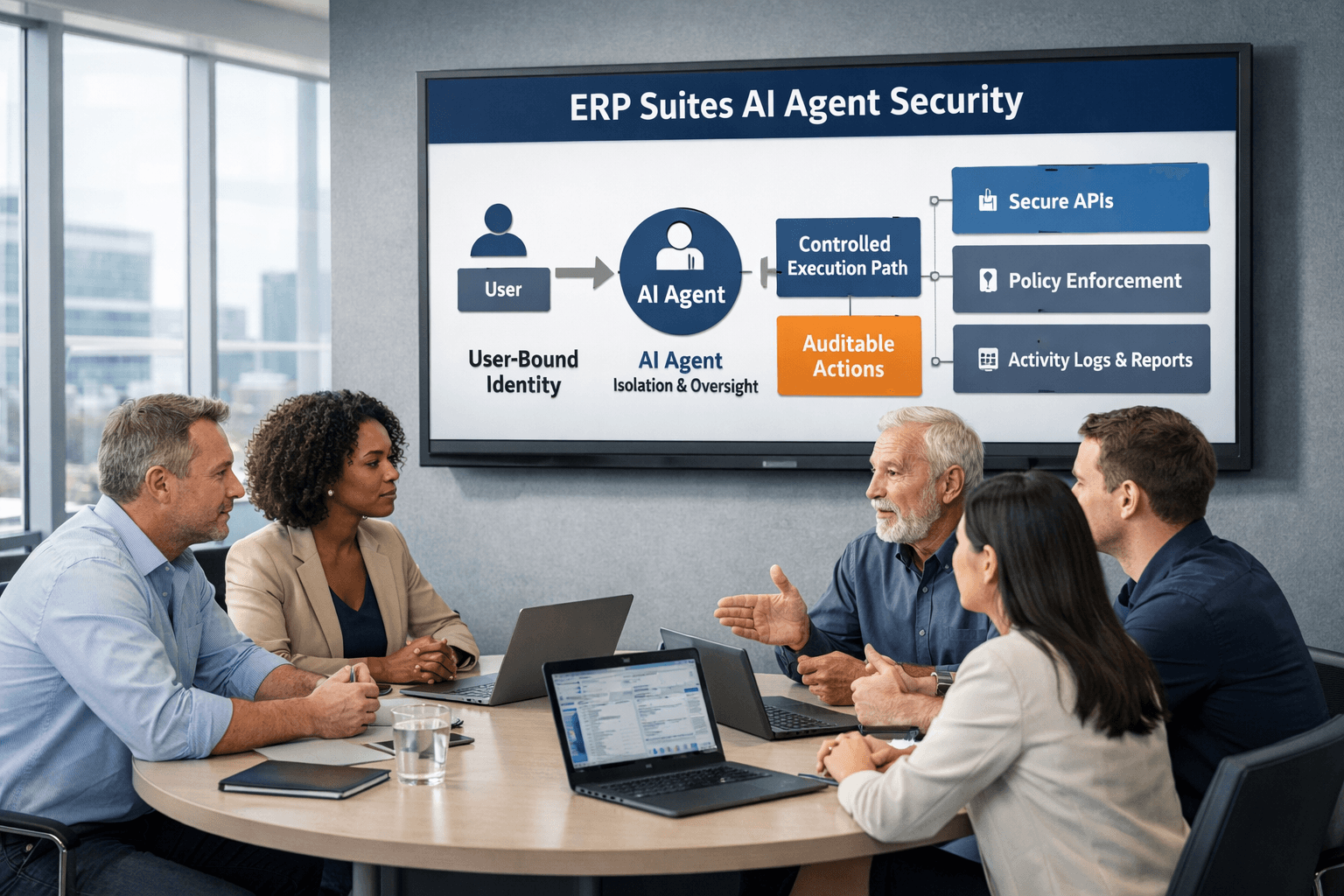
Secure, managed tenancy
Each customer’s agents run in an isolated Oracle Cloud environment managed by ERP Suites, with enterprise-grade controls for security and auditability.
Governed autonomy
Agents can start with human review and approval, then scale to autonomous execution as reliability is proven—without sacrificing oversight.
Enterprise AI foundation
Built on Oracle’s enterprise AI platform, providing the security, scalability, and durability required for long-term ERP execution.
Built for JD Edwards. Trusted for AI execution.
AI Agents only deliver value when they’re built for the realities of your ERP. ERP Suites’ 100% JD Edwards focus shapes how agents are designed, governed, and sustained over time.
Built specifically for JD Edwards
ERP Suites designs AI Agents around real JD Edwards processes—not generic ERP patterns.
- Purpose-built for JDE workflows across finance, supply chain, and operations
- 100% JDE focus with no competing ERP priorities
- Execution aligned to how JD Edwards is designed to integrate and automate
Enterprise AI you can trust
AI execution inside ERP requires enterprise-grade foundations.
- Built on Oracle’s enterprise AI platform
- Designed for security, isolation, and auditability from day one
- Delivered and managed by an Oracle-certified Cloud Managed Service Provider (CMSP)
This ensures AI agents are governed, reliable, and sustainable—not experimental.
Proven leadership in JD Edwards AI
ERP Suites doesn’t just implement AI for JDE—we actively shape how it’s applied responsibly.
- Host of AI Week with 25+ speakers (including Oracle) and 500+ registrants
- Frequent presenters at JD Edwards conferences and user groups
- Ongoing leadership in enterprise AI strategy for JDE environments
Why this matters long term
A JDE-first approach to AI execution leads to:
- Less friction during JD Edwards upgrades
- Faster adoption of new capabilities
- AI that evolves with JD Edwards—not around it
Are JD Edwards AI Agents the Right Approach?
JD Edwards AI Agents are a strong fit when teams want AI that can execute work inside ERP—not just analyze or advise.
A strong fit if:
-
You run JD Edwards EnterpriseOne and want automation beyond reporting or scripting
-
Teams spend significant time on manual, repeatable work inside JDE
-
You want AI that can act inside ERP with governance and auditability
-
Security, controls, and compliance are non-negotiable
-
You prefer a managed, SaaS-style deployment over custom AI builds
Teams typically start when:
- Close cycles slow due to manual review and reconciliation
- Backlogs build in payables, procurement, or order processing
- Inventory and manufacturing teams need earlier insight and faster action
- IT wants to enable AI without introducing new platforms or risk
This may not be the right fit if:
- You’re looking for a generic chatbot or a standalone analytics tool
- You already have simple, stable processes that don’t require reasoning or adaptation
-
You want to build and manage AI infrastructure entirely in-house
- You’re not running JD Edwards
What Happens Next
Getting started with AI Agents begins with alignment, so deployment is predictable, low risk, and tied to real outcomes.
Agent Discovery Session
We review your JD Edwards environment and priorities to identify the highest-impact AI Agents to start with.
Readiness and Fit Confirmation
We confirm technical, security, and process readiness so agents can operate safely inside JDE.
Deployment Plan
We define agent scope, oversight points, and rollout sequencing before anything goes live.
Life with AI Agents
AI Agents handle routine execution, exceptions surface earlier, and teams focus on review, decisions, and outcomes instead of manual work
JD Edwards AI Agents Explained
Do AI Agents run in our JD Edwards environment?
No. AI Agents run in a secure Oracle Cloud environment managed by ERP Suites, with isolated compartments per customer. They interact with JD Edwards using native integration patterns, so you get enterprise control without deploying AI infrastructure internally.
Is this a custom AI build or a SaaS offering?
This is a managed, SaaS-style offering. Agents are pre-built and production-ready, not custom models developed inside your environment.
How are customers isolated in a shared tenancy?
Each customer is deployed in a dedicated OCI compartment with strict isolation, governance, and auditability built into the architecture.
How do AI Agents respect JDE security and approvals?
Agents operate using existing JDE security models, roles, and approval workflows. They don’t bypass controls—human oversight and approvals remain where required.
Are AI Agent actions auditable?
Yes. Agent activity is logged, traceable, and auditable, supporting financial controls and compliance requirements.
Is this suitable for regulated environments?
Yes. The architecture is designed with enterprise governance in mind and supports regulated and compliance-driven environments.
Are AI Agents fully autonomous from day one?
They are designed for full autonomy, but teams can start with added human review or approval steps during a “prove it” stage and reduce oversight as trust is established.
Can we control what agents are allowed to do?
Yes. Scope, permissions, and exception handling are defined up front so agents operate within clear boundaries.
What happens if an agent encounters an exception?
Agents escalate exceptions for human review rather than forcing a decision, ensuring control is maintained.
How do AI Agents integrate with JD Edwards?
Agents use proven JDE integration patterns such as Orchestrator and AIS, along with other trusted methods where appropriate—no screen scraping or bolt-on tools.
Will this affect future JDE upgrades?
No. Because agents use native integration patterns and avoid custom bolt-ons, they reduce friction during upgrades rather than increasing it.
Does this replace JDE Orchestrations or existing automation?
No. AI Agents use orchestrations as part of execution. Orchestrations remain foundational; agents add decision-making and autonomy on top.
How many AI Agents can we deploy?
Most teams start with 10–20 agents and expand over time. The platform is designed to scale to 50+ agents as needs grow.
Can we deploy agents incrementally?
Yes. Agents are modular and can be introduced gradually without re-architecting the environment.
Who manages the AI Agents over time?
ERP Suites manages deployment, monitoring, updates, and optimization as part of a managed service.
What does our team need to maintain internally?
Very little. Teams focus on oversight and outcomes, not AI infrastructure or model management.
Is our data used to train public AI models?
No. Customer data remains isolated and governed within the enterprise AI environment.
Are these generic LLMs or JDE-specific models?
Agents are purpose-built for JDE workflows and enterprise data, not generic chatbots trained on public datasets.