
What Can the Trial Balance Agent Do?

The Trial Balance Agent continuously evaluates your trial balance by analyzing account activity, comparing balances across periods, and detecting unusual patterns. It brings attention to what matters most—flagging anomalies, validating completeness, and guiding accounting teams toward faster resolution.
Use during month-end close, financial reviews, or any time you need early visibility into abnormal balances, missing activity, or potential integrity issues within the ledger.

Trial Balance Dashboards
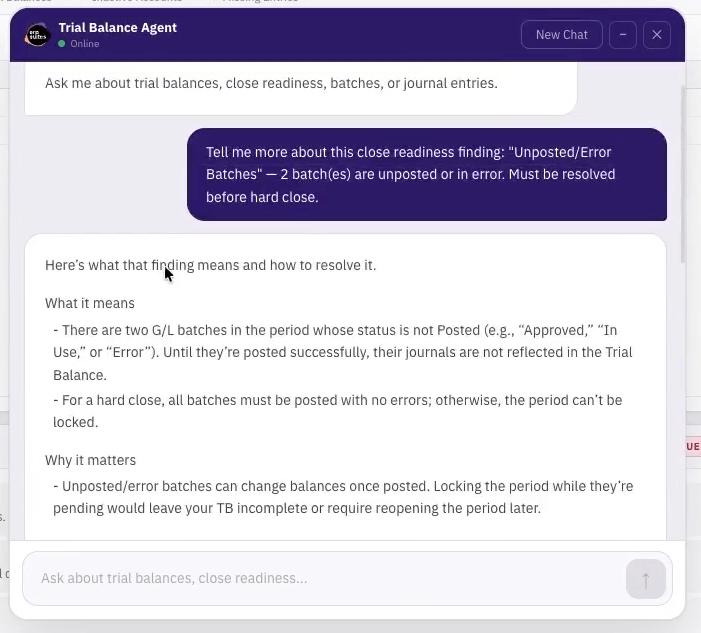
Trial Balance Agent Demo
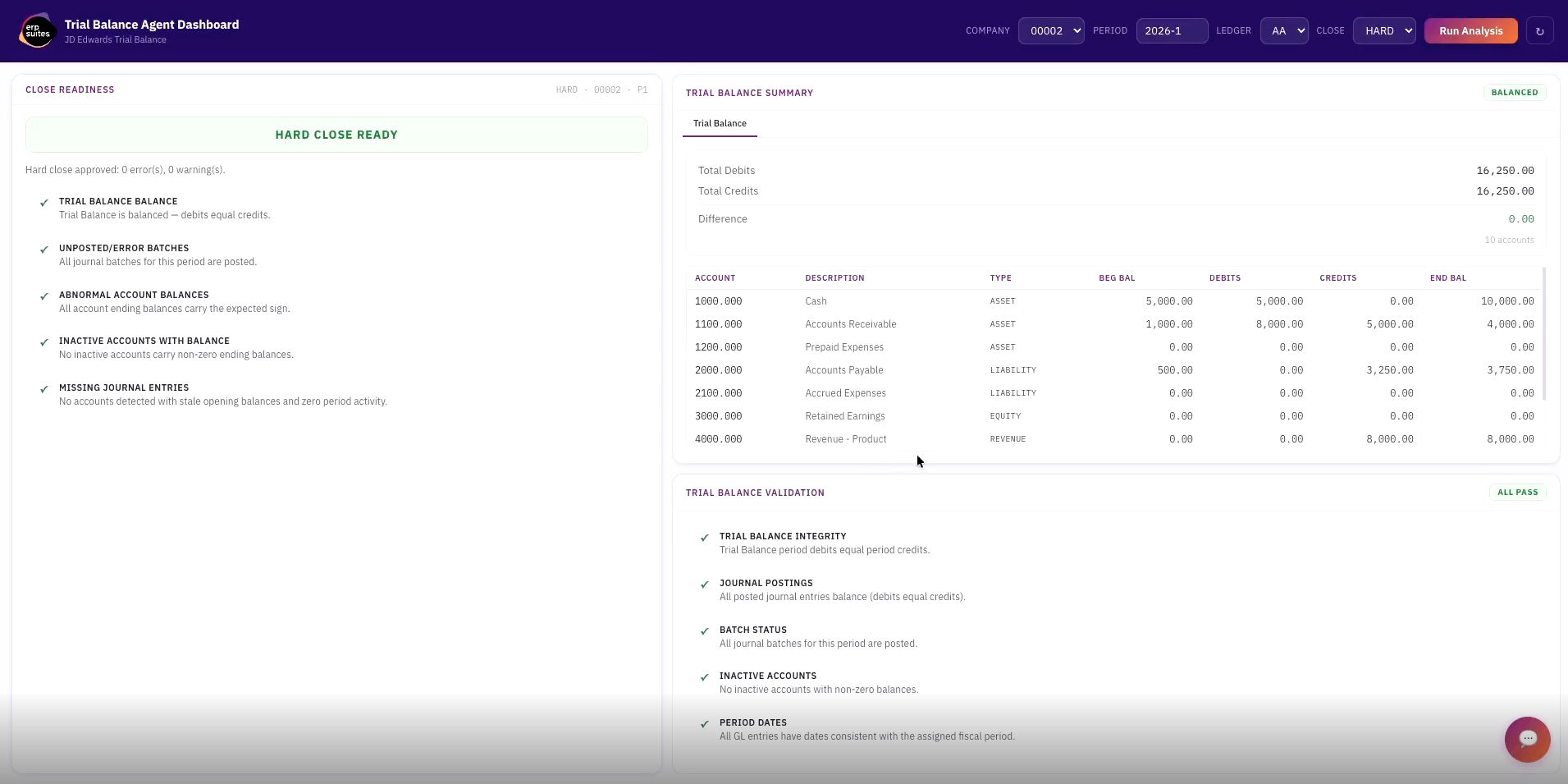
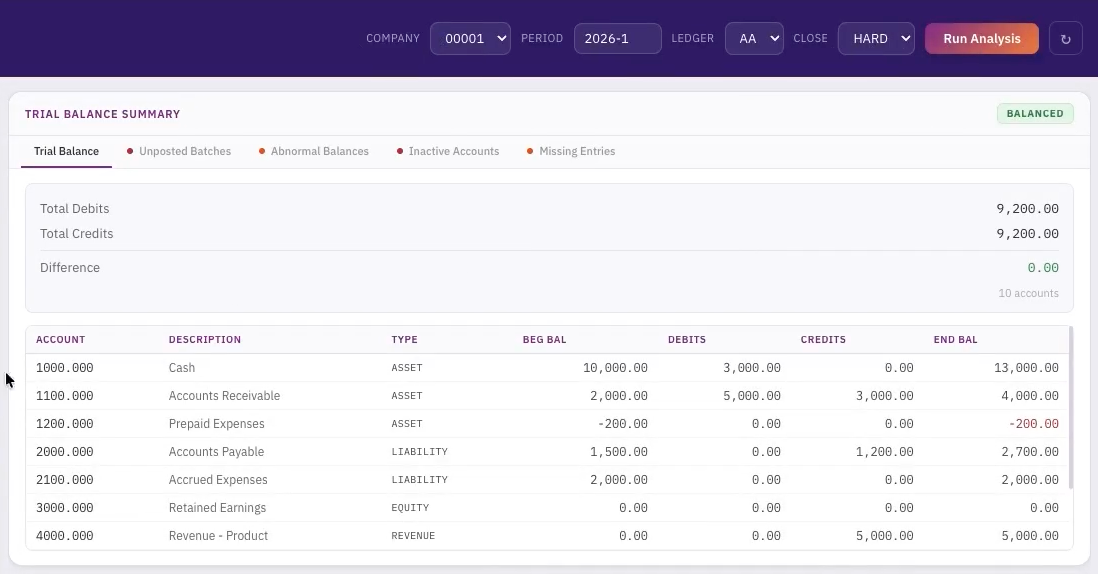
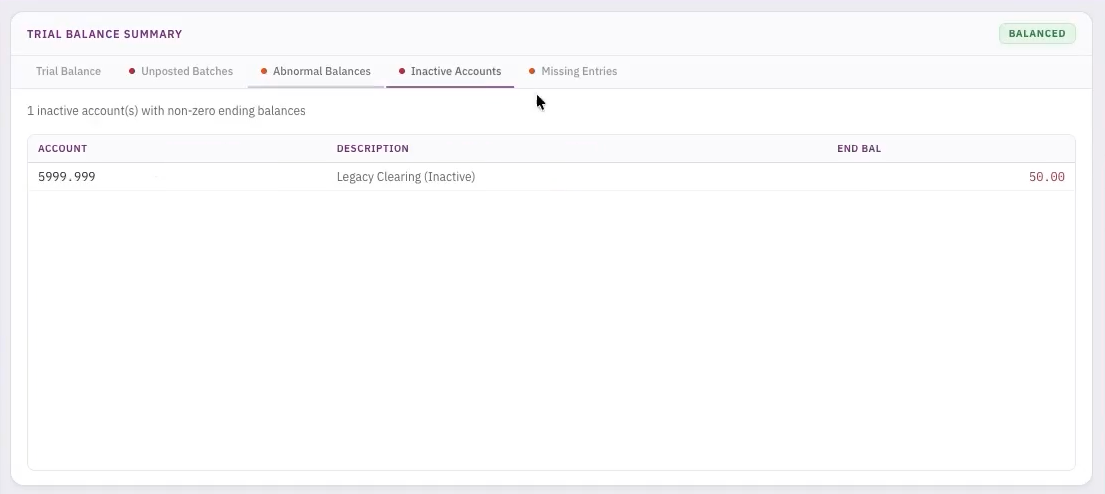
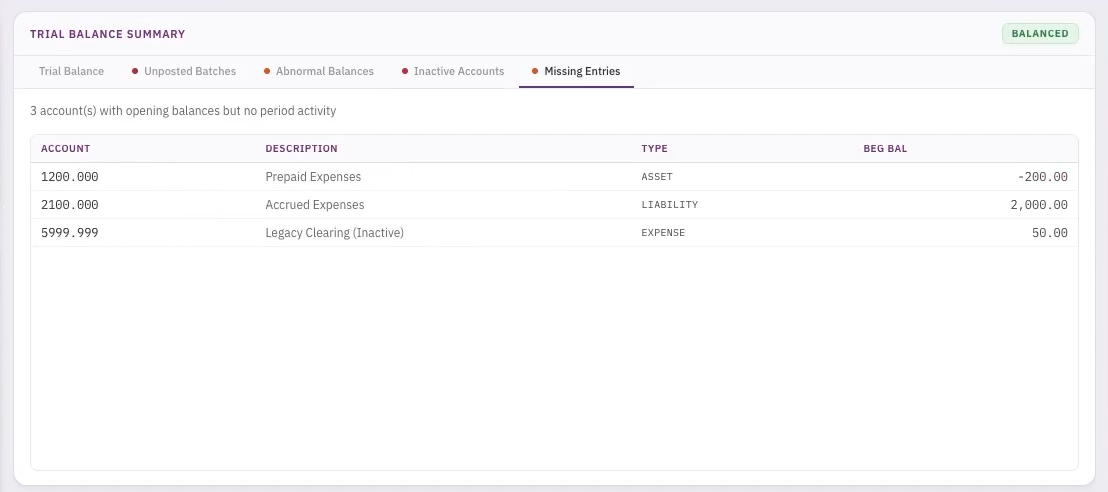
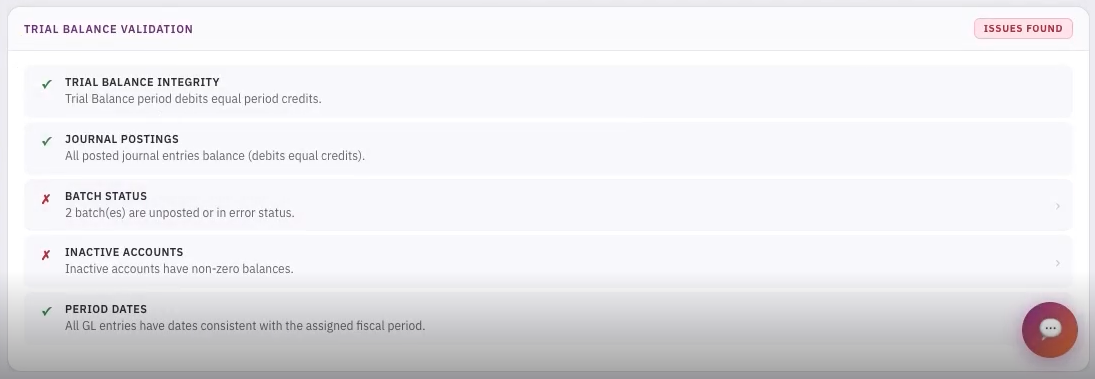
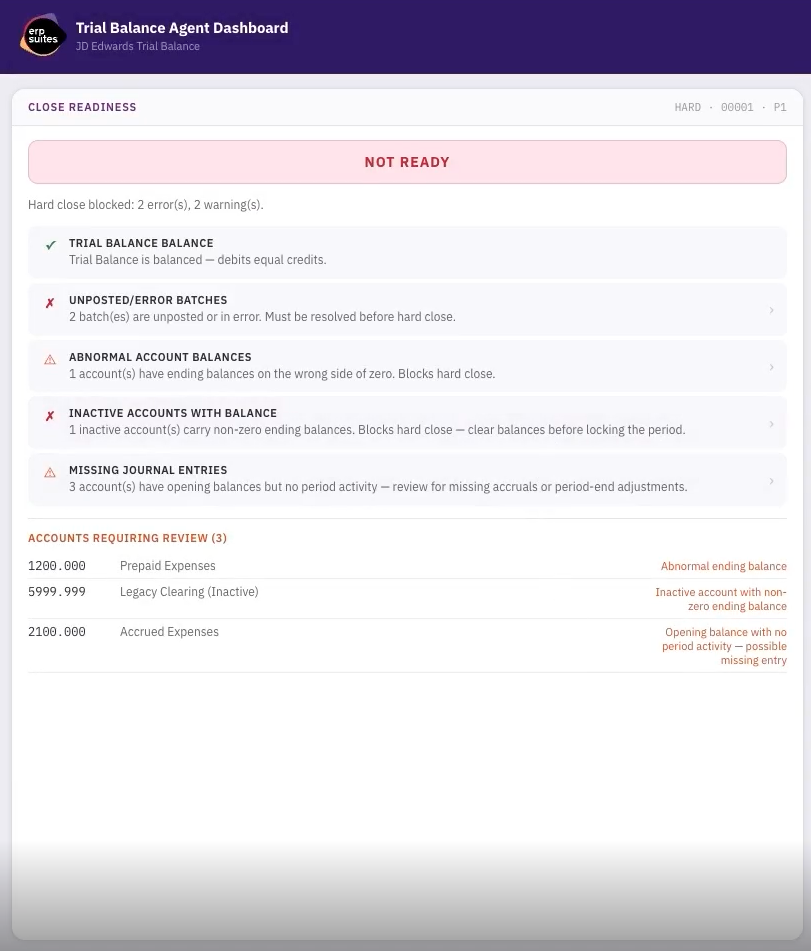
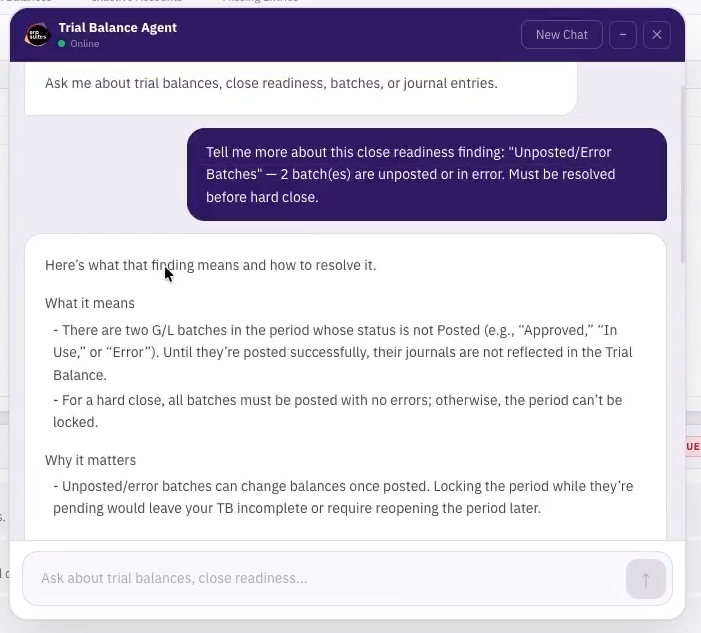
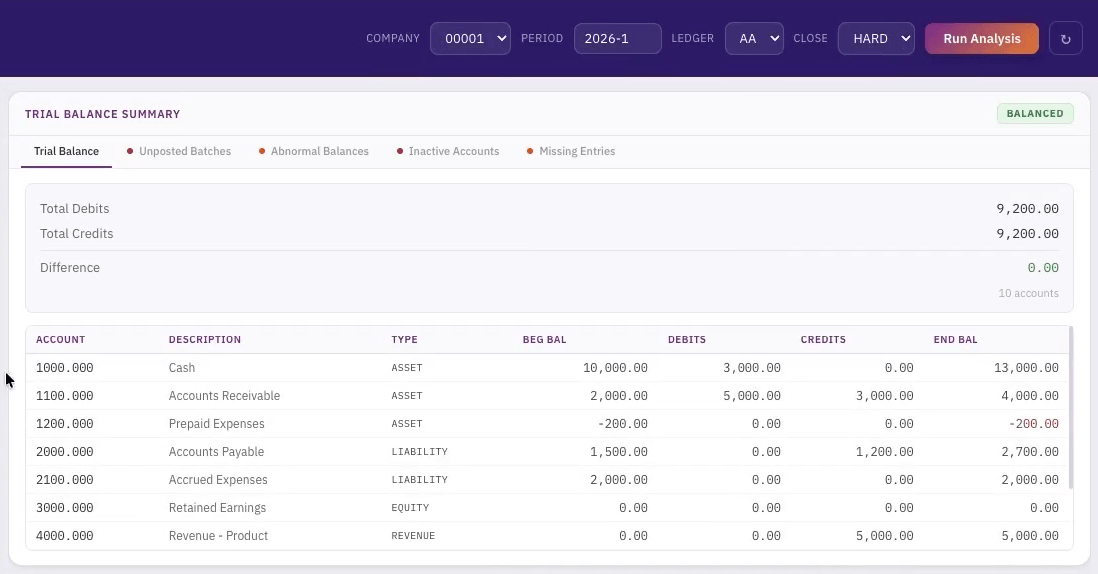
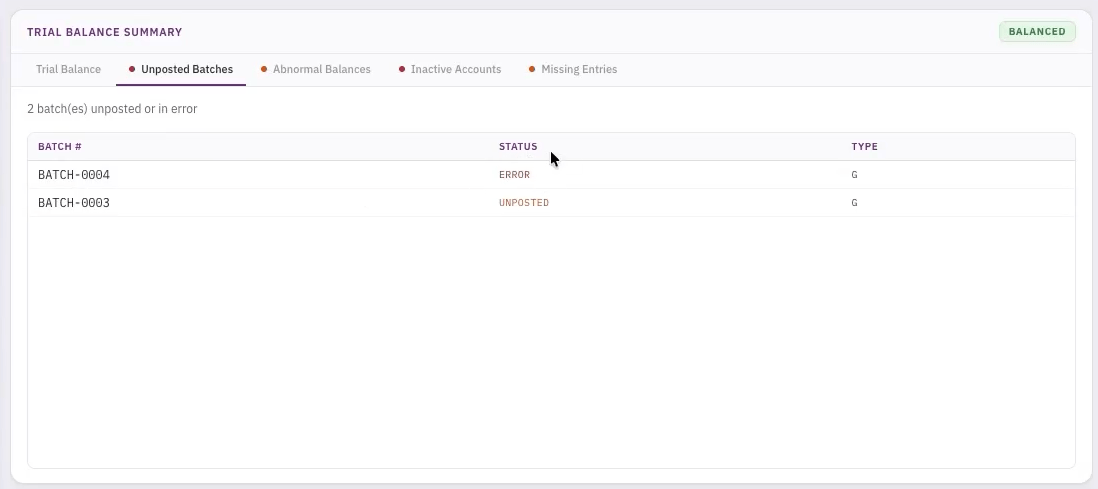
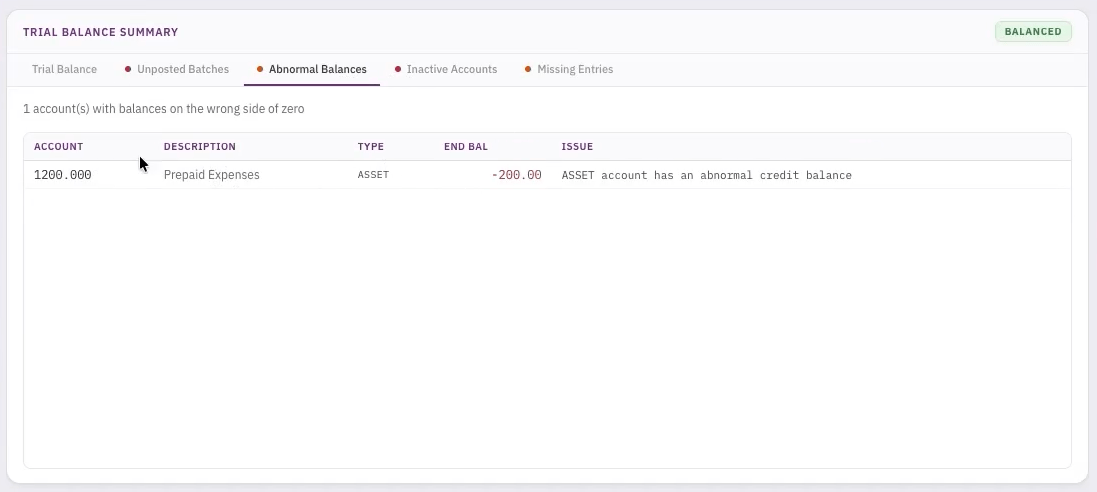
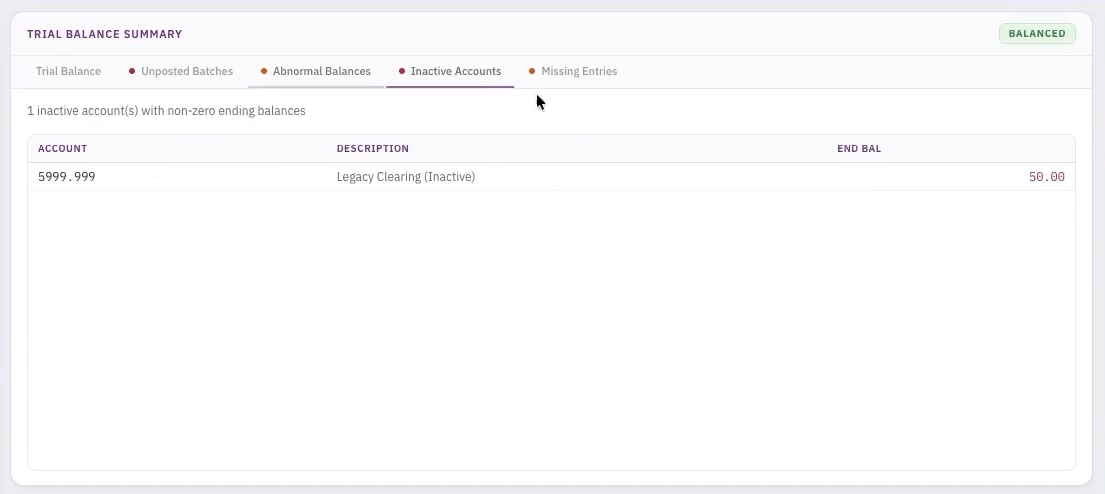
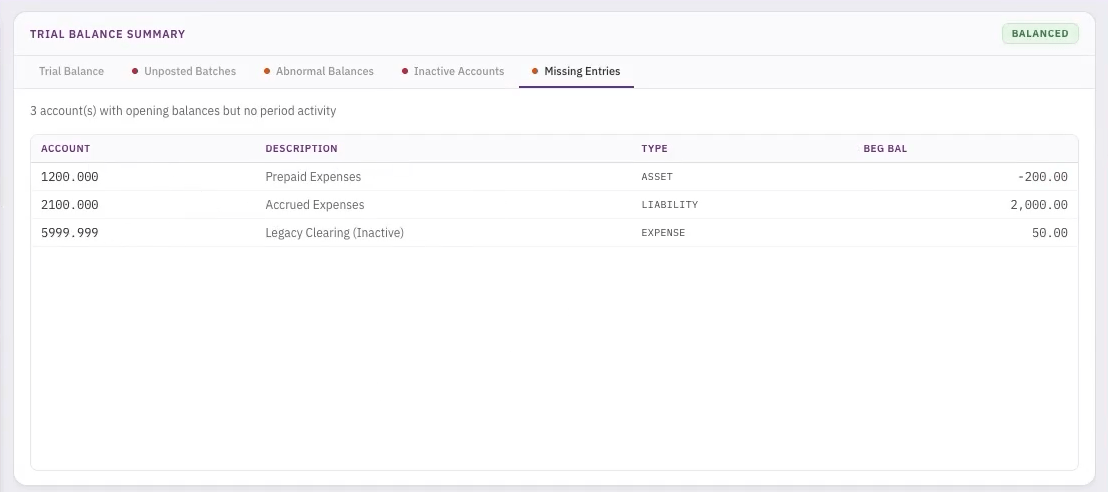
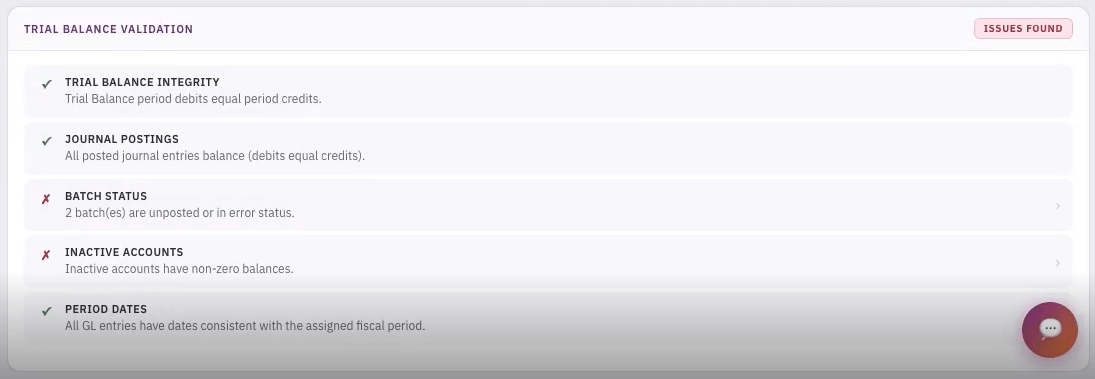
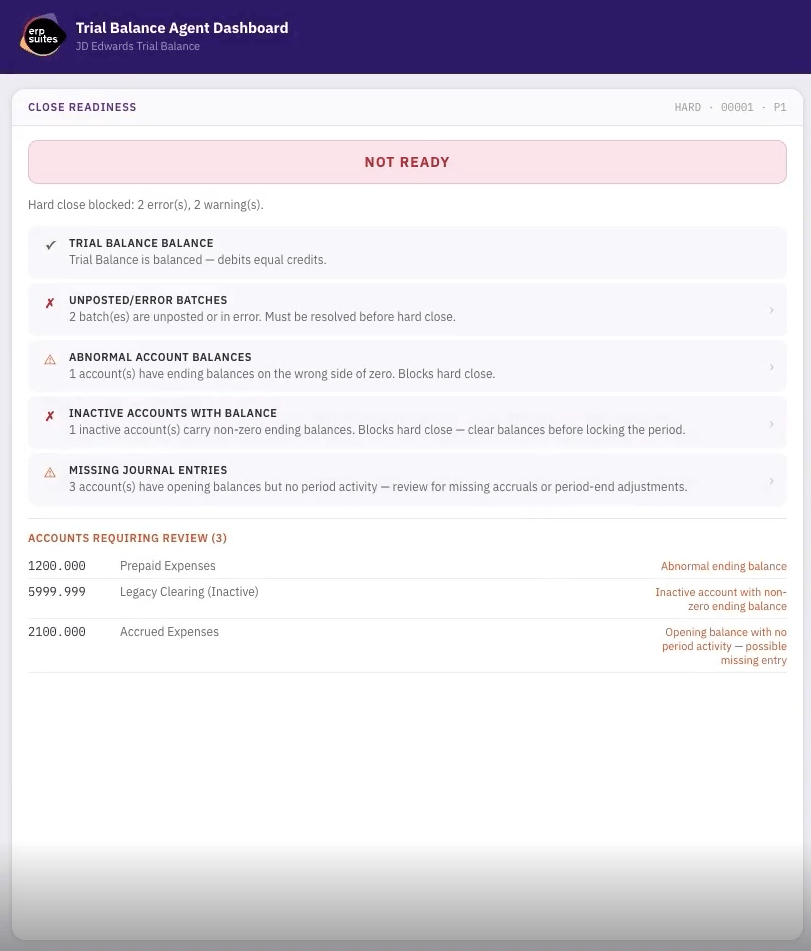
See how the Trial Balance Agent provides a real-time view of your financial close, bringing together trial balance status, validation checks, and issue detection in one place.
- Instant analysis with no wait time—results populate immediately after running
- At-a-glance close readiness status based on automated validation checks
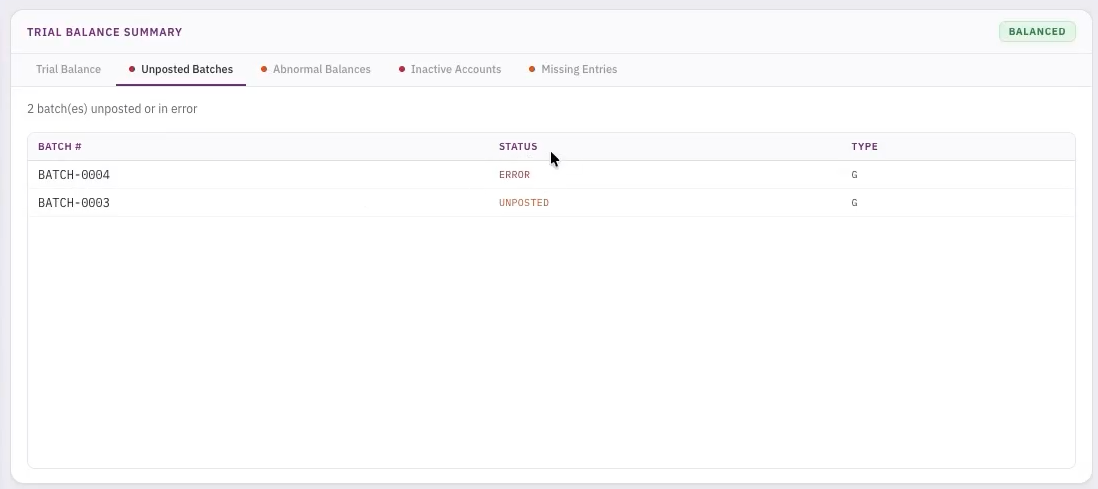
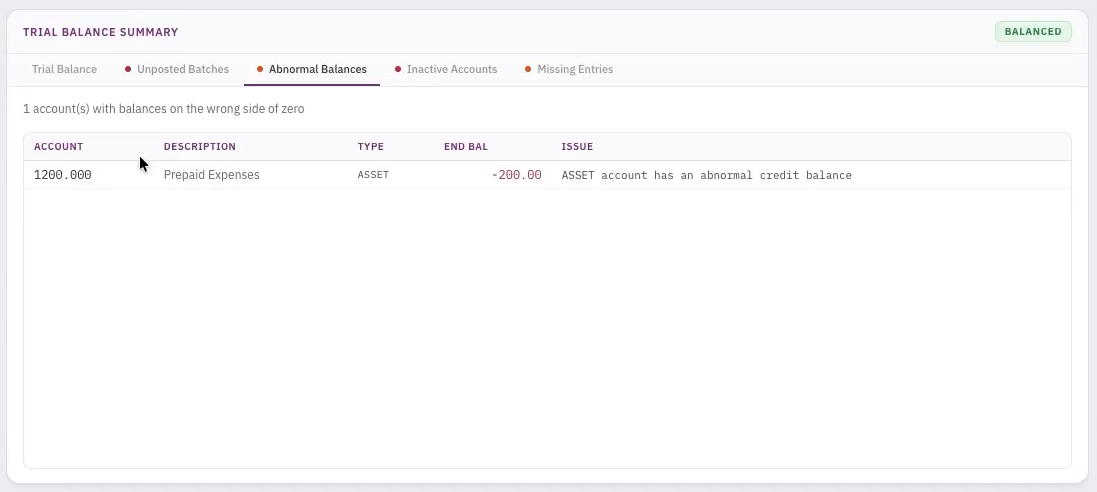
- Trial balance summary highlighting errors such as unposted batches, abnormal balances, and missing activity
- Identification of accounts requiring review and validation issues impacting close
- Interactive agent chat for deeper investigation, including causes, impact, and next steps

Trial Balance Agent Process Flow
The Trial Balance Agent brings structure to what is often a manual, time-intensive process. By validating balances, surfacing anomalies, and guiding resolution steps, it gives accounting teams a clear path from issue identification to close readiness, while maintaining full visibility into every action taken and evolving toward autonomous issue resolution.
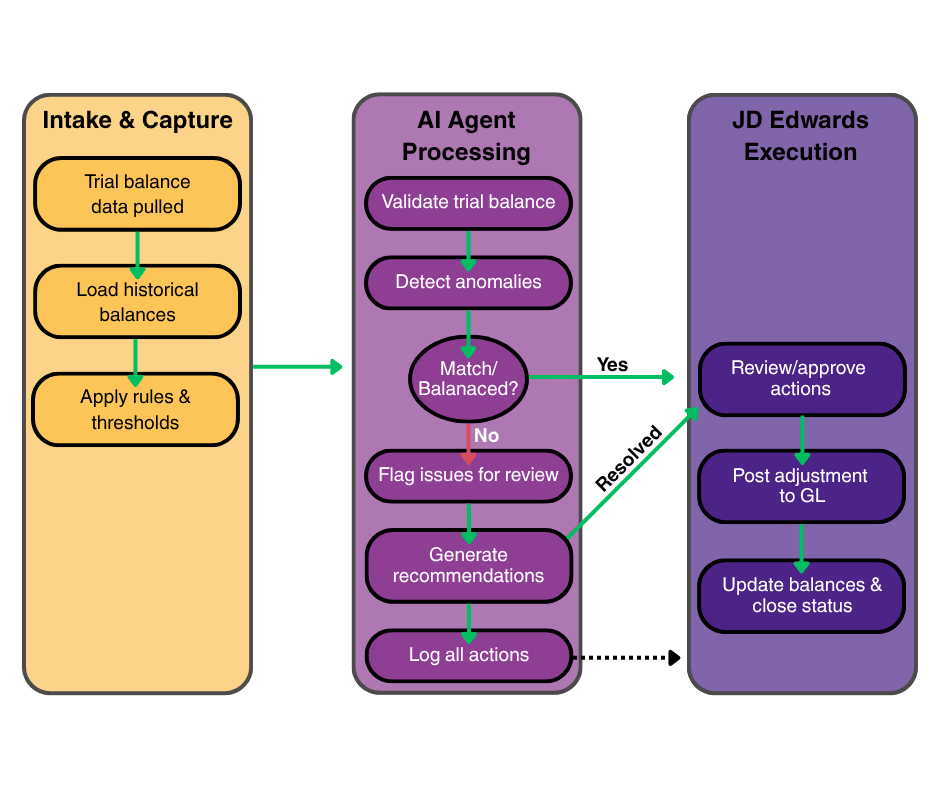
How it Works
The Trial Balance Agent operates directly within JD Edwards, analyzing ledger data, validating balances, and identifying anomalies across accounts, while keeping your team in control of review and resolution.

Connects to General Ledger Data
The agent integrates with JD Edwards financial tables to pull trial balance and supporting data across periods.
- Reads account balances from Account Balances (F0902)
- Accesses detailed transactions from General Ledger (F0911)
- References account structure and metadata from Chart of Accounts (F0901)
- Incorporates subledger data where applicable (F0411, F03B11, F4111)
All data is aligned and structured to support cross-period analysis and validation.

Performs Validation & Balance Checks
The agent applies accounting logic and configurable rules to ensure trial balance integrity.
- Validates that debits and credits are balanced
- Checks for unposted batches and incomplete processing
- Identifies inactive accounts with unexpected activity gaps
- Applies configurable thresholds for materiality and variance tolerance
- Evaluates close readiness based on defined validation criteria
Each check contributes to an overall readiness assessment.

Detects Anomalies & Classifies Issues
The agent analyzes patterns across periods to surface unusual activity and prioritize review.
- Compares current balances to historical trends and prior periods
- Flags abnormal balance fluctuations and outliers
- Identifies patterns such as missing entries or inconsistent account behavior
- Categorizes findings by type, severity, and impact
- Generates summaries of accounts requiring attention
All findings are logged and traceable for audit purposes.

Recommends & Executes Resolution
The agent supports and evolves resolution workflows within JD Edwards.
- Provides recommended actions, root causes, and next steps
- Enables user review, approval, or adjustment of suggested corrections
- Logs all actions and decisions for full audit traceability
- Learns from user feedback to refine future recommendations
- Progresses toward automated execution of corrective actions within defined controls
Accounting teams remain in control while the agent accelerates issue resolution.
The Business Benefits
The Trial Balance Agent helps accounting teams move through close with greater speed, accuracy, and control by surfacing issues earlier and simplifying how they are resolved.

Speeds up detection of unusual balance movements
Reduces manual review effort during close
Helps teams address issues earlier before reporting
Improves accuracy with consistent anomaly analysis
Supports smoother close with clearer issue prioritization