

Keep Production Moving with Modern JD Edwards Solutions Built for Manufacturers
Whether you're running discrete, process, engineer-to-order, or mixed-mode manufacturing, ERP Suites helps manufacturers modernize JD Edwards, improve plant operations, strengthen security, and reduce the burden on internal IT teams.
Manufacturing Is Evolving. Your Technology Should Too.
Today's manufacturers are navigating:
- Labor shortages and workforce challenges
- Supply chain disruptions and longer lead times
- Rising material and operating costs
- Increasing customer expectations
- Pressure to automate manual processes
- Aging JD Edwards environments
- Limited internal IT resources
- Growing cybersecurity threats
- The rise of AI as a competitive advantage
JD Edwards continues to be one of the strongest ERP platforms for manufacturers, but maximizing its value requires continuous modernization, automation, and expert support. ERP Suites helps manufacturers optimize, secure, and modernize their JD Edwards environments so they can operate more efficiently.

Manufacturing Challenges We Help Solve
Manufacturing success depends on more than keeping JD Edwards running. It requires connected processes, accurate data, reliable systems, and the ability to quickly respond to changing production demands. ERP Suites helps manufacturers improve operational performance by modernizing JD Edwards, streamlining workflows, and solving the challenges that impact production, inventory, warehousing, supply chain operations, and IT.

Improve Production Planning & Shop Floor Visibility
When production issues aren't identified until after schedules slip, the impact can be felt throughout the entire operation.
ERP Suites helps manufacturers improve visibility into production with JD Edwards dashboards, Orchestrations, AI agents, automated alerts, and reporting that surface issues sooner so teams can respond before they become larger problems.

Optimize Inventory & Warehouse Operations
Inventory discrepancies create unnecessary production delays, purchasing challenges, and fulfillment issues.
With Scanability, warehouse automation, and real-time inventory transactions in JD Edwards, manufacturers can improve inventory accuracy while streamlining receiving, put-away, picking, transfers, cycle counting, work order completions, and shipping.

Extend Your Internal IT Team
Finding specialized expertise for strategic projects or day-to-day administration isn't always easy.
ERP Suites acts as an extension of your internal team, providing experienced JD Edwards consultants, CNC administrators, infrastructure specialists, database administrators, and managed services professionals who help keep your manufacturing systems running reliably.

Automate Manufacturing Workflows
Many manufacturing teams still rely on paper, spreadsheets, and manual data entry to manage approvals, production updates, and inventory transactions. These repetitive tasks consume valuable time and increase the risk of errors.
ERP Suites helps automate manufacturing workflows using Orchestrator, AI agents, integrations, and custom applications that reduce manual effort and accelerate business processes.

Modernize Your JD Edwards Environment
Modernization isn't about replacing the ERP system your business relies on, when JDE continues to support the evolving needs of your manufacturing operation.
We help manufacturers modernize JDE while integrating it with the technologies that support day-to-day operations. We can create a more connected and efficient manufacturing ecosystem through upgrading your environment, moving to the cloud, or connecting JDE with MES, PLM, warehouse management, shipping, EDI, or business intelligence platforms.
Scanability for JD Edwards
Scanability is a mobile barcode scanning solution designed specifically for JD Edwards EnterpriseOne. It allows warehouse and shop floor employees to perform inventory transactions directly from handheld devices, eliminating the need for paper-based processes, manual data entry, and unnecessary trips back to a computer.
From receiving raw materials to issuing components to production, tracking inventory movements, and shipping finished goods, Scanability connects your physical manufacturing operations directly to JD Edwards. Employees simply scan barcodes to capture transactions, helping ensure inventory information stays accurate and up to date across your operation.

What Can Manufacturers Do with Scanability?
Scanability comes with a library of 30+ prebuilt scanning workflows designed for common JD Edwards transactions, so you don't have to start from scratch.
Receiving & Put-Away
Scan incoming raw materials, record receipts, and move inventory into designated warehouse locations.
Inventory Transfers & Movements
Track materials as they move between bins, warehouses, production areas, and facilities.
Cycle Counting & Inventory Adjustments
Perform physical counts and record adjustments using mobile devices instead of paper count sheets.
Picking, Packing & Shipping
Streamline order fulfillment by scanning inventory as it's picked, packed, and prepared for shipment.
Lot & Serial Number Tracking
Capture lot and serial information during inventory transactions to support traceability throughout manufacturing operations.

Why Manufacturers Choose Scanability
Not all barcode scanning solutions are built the same. Traditional systems can introduce additional infrastructure, complex integrations, costly customizations, and challenges when upgrading JD Edwards. Scanability takes a different approach. Built on JD Edwards Orchestrator, it works with your existing ERP processes to simplify warehouse operations while reducing long-term maintenance, upgrade complexity, and costs.

Built on JD Edwards Orchestrator
Unlike traditional barcode solutions that rely on proprietary code and separate integrations, Scanability leverages JD Edwards Orchestrations and existing business logic. This allows manufacturers to connect mobile scanning directly to their established JD Edwards processes without rebuilding workflows in another system.

Easier JDE Upgrades
Because Scanability uses Orchestrations and native JD Edwards functionality, manufacturers can avoid much of the script rewriting, retrofitting, and additional testing associated with legacy solutions. This is especially valuable when transitioning from 32-bit to 64-bit environments.

Faster Implementation with 30+ Ready-to-Use Workflows
Manufacturers don't need to build every scanning process from scratch. Scanability includes a library of more than 30 configurable workflows covering receiving, inventory transfers, cycle counting, work order completions, picking, packing, and shipping. This helps accelerate implementation while allowing workflows to be tailored to your manufacturing processes.

Backed by JD Edwards Experts, Not Just Software Support
When barcode scanning supports critical manufacturing processes, resolving issues quickly matters. Scanability is backed by ERP Suites' JD Edwards specialists, with 24/7 support options and ongoing assistance for workflow improvements, application support, and process optimization. You're working with a team that understands both the scanning solution and the JDE environment behind it.
AI Agents for Manufacturing
Manufacturing doesn't stop at 5:00 PM, and neither should the systems responsible for monitoring it. ERP Suites AI Agents become digital workers within your JD Edwards environment, continuously monitoring operations, analyzing data, identifying exceptions, and taking action 24 hours a day, 7 days a week.

Sales Order Entry Agent
Automates sales order creation and validation in JD Edwards from customer requests, emails, portals, and supporting documents.

Sales Order Entry Agent
Automates sales order creation and validation in JD Edwards from customer requests, emails, portals, and supporting documents.
What it does
The Sales Order Entry Agent captures incoming order requests, extracts key order details, validates customer, item, pricing, availability, ship-to, and credit information, and prepares accurate sales orders in JD Edwards. It flags missing or conflicting information, provides context-aware explanations, and routes exceptions to the appropriate team for review before submission.
Business Benefit
-
Reduces manual order entry time and repetitive data entry
-
Improves order accuracy through automated validation
-
Identifies missing information before orders are created
-
Accelerates order processing and fulfillment
-
Helps prevent pricing, item, customer, and shipping errors
When to use it
Use it when teams spend too much time manually entering orders, validating customer requests, correcting order errors, or following up on incomplete order information.
Inputs
Customer purchase orders, emails, portal requests, item details, customer master data, pricing, ship-to information, credit rules, and order entry prompts
Outputs
Draft sales orders, validation results, exception alerts, missing information requests, supporting order detail, and submitted sales orders for review or processing
How it works with your team
Reads incoming order requests, prepares sales orders in JD Edwards, flags exceptions for review, and routes incomplete or questionable orders to customer service, sales, or order management for approval.
Inventory Allocation Agent
Optimizes inventory allocation across orders, locations, and priorities in JD Edwards.
Inventory Allocation Agent
Optimizes inventory allocation across orders, locations, and priorities in JD Edwards.
What it does
The Inventory Allocation Agent monitors available inventory, open sales orders, demand signals, fulfillment priorities, and allocation rules in JD Edwards. It recommends or applies inventory allocations based on customer priority, order dates, availability, location, substitutions, and business rules. It flags shortages, conflicts, and exceptions so teams can resolve allocation issues before they impact fulfillment.
Business Benefit
-
Improves inventory visibility across locations and orders
-
Reduces manual effort spent reviewing availability and shortages
-
Helps prioritize inventory for high-value or time-sensitive orders
-
Minimizes fulfillment delays caused by allocation conflicts
-
Supports more accurate promise dates and customer communication
When to use it
Use it when teams need to balance limited inventory across competing orders, reduce manual allocation decisions, or identify shortages before they delay fulfillment.
Inputs
Inventory availability, item balances, open sales orders, demand forecasts, allocation rules, customer priorities, order dates, warehouse locations, substitutions, and fulfillment thresholds
Outputs
Recommended allocations, allocation exceptions, shortage alerts, impacted order details, inventory availability summaries, and suggested substitutions or fulfillment actions
How it works with your team
Continuously reviews inventory and demand, recommends the best allocation decisions, flags exceptions for review, and routes shortage or priority conflicts to customer service, sales, planning, or warehouse teams for resolution.
Coming Soon: Material Expiration Analysis Agent
Identifies lots nearing expiration and recommends actions to reduce waste and risk.
Coming Soon: Material Expiration Analysis Agent
Identifies lots nearing expiration and recommends actions to reduce waste and risk.
What it does
The Material Expiration Analysis Agent detects lots nearing expiration, analyzes demand and usage across organizations, and recommends proactive actions such as reallocation or prioritized consumption to reduce waste and disruption.
Business Benefit
- Reduces write-offs and waste from expired materials
- Improves inventory health and planning responsiveness
- Minimizes disruption caused by expiring or unusable stock
- Helps teams take action earlier with clearer prioritization
- Supports compliance for lot-controlled and regulated materials
When to use it
Use it when you manage lot-controlled inventory, expiration risk is high, or teams need proactive visibility and recommended actions to prevent waste.
Inputs
Lot and expiration data, inventory balances, demand and usage history, open orders, and stocking parameters
Outputs
Lots at risk, expiration alerts, prioritized recommendations, suggested reallocation/consumption actions, and exception lists
How it works with your team
Monitors expiration timelines and flags risks early; inventory teams review recommendations and execute transfers or usage plans.
Coming Soon: Item Shortages Analysis Agent
Detects stockouts and shortages and helps teams focus on the biggest risks.
Coming Soon: Item Shortages Analysis Agent
Detects stockouts and shortages and helps teams focus on the biggest risks.
What it does
The Item Shortages Analysis Advisor identifies inventory stockouts and shortages across the organization, prioritizes risk based on demand and supply signals, and can recommend or initiate actions such as creating replenishment orders or adjusting safety stock.
Business Benefit
- Reduces disruption caused by stockouts and shortages
- Improves service levels and operational continuity
- Helps planners prioritize the most critical shortages first
- Accelerates response through replenishment and safety stock adjustments
- Improves decision-making with earlier shortage visibility
When to use it
Use it when shortages are frequent, service levels are impacted, production is delayed, or teams need earlier visibility and faster replenishment actions.
Inputs
Inventory balances, demand signals, open orders, lead times, planning parameters, and safety stock settings
Outputs
Shortage alerts, prioritized shortage lists, impacted items/locations, and recommended or initiated replenishment and safety stock actions
How it works with your team
Runs on a schedule or trigger to identify shortages; planners review recommendations and the agent supports replenishment and parameter updates based on policy.
Coming Soon: Maintenance Work Order Builder
Creates or updates maintenance work orders, including operations, materials, and resources.
Coming Soon: Maintenance Work Order Builder
Creates or updates maintenance work orders, including operations, materials, and resources.
What it does
The Maintenance Work Order Builder creates new work orders or updates existing ones in JD Edwards, including adding operations, issuing materials, and capturing resource requirements so maintenance teams can build complete work orders more quickly and consistently.
Business Benefit
- Reduces time spent creating and updating work orders
- Improves work order completeness and consistency
- Accelerates maintenance execution and scheduling
- Supports better cost and resource tracking
- Reduces rework caused by missing work order details
When to use it
Use it when work orders are slow to build, frequently incomplete, or when teams need faster turnaround and more standardization.
Inputs
Asset/equipment data, maintenance requests, task standards, materials/BOM data, labor/resource information, and work order policies
Outputs
Created or updated work orders, operation steps, issued materials, resource allocations, and updated work order status
How it works with your team
Generates work order details automatically; planners or technicians review, adjust if needed, and release work for execution.
Coming Soon: Quote-to-Purchase Requisition Agent
Turns supplier quotes into purchase requisitions automatically.
Coming Soon: Quote-to-Purchase Requisition Agent
Turns supplier quotes into purchase requisitions automatically.
What it does
The Quote to Purchase Requisition Assistant ingests supplier quotes through email or chat and creates purchase requisitions automatically. It captures quote details, structures line items, and prepares requisitions for review and submission.
Business Benefit
- Saves time by eliminating manual quote entry
- Reduces errors in requisition creation
- Speeds up procurement cycle time
- Improves consistency across requisition workflows
- Helps teams respond faster to supplier pricing and availability
When to use it
Use it when quotes arrive frequently via email, requisition creation is manual and slow, or teams need faster conversion of supplier quotes into purchasing workflows.
Inputs
Supplier quotes (email/chat/PDF), supplier and item master data, pricing terms, and requisition rules
Outputs
Draft requisitions, captured quote details, validation flags, and requisitions ready for approval
How it works with your team
Creates a draft requisition from the quote and flags missing details; procurement reviews and submits for approval.
Coming Soon: Purchase Order to Sales Order Converter
Converts order documents into validated sales orders for JD Edwards order entry.
Coming Soon: Purchase Order to Sales Order Converter
Converts order documents into validated sales orders for JD Edwards order entry.
What it does
The Purchase Order to Sales Order Converter translates order documents (such as PDFs) into structured sales order data that can be imported into JD Edwards Order Management. It validates fields, flags exceptions, and supports correction so orders can be entered accurately and quickly.
Business Benefit
- Reduces manual order entry effort
- Minimizes errors from document-based orders
- Speeds up order processing and fulfillment
- Improves consistency and validation across order entry
- Helps teams focus on exceptions instead of routine entry
When to use it
Use it when orders arrive as PDFs or documents, manual entry creates delays and errors, or teams need faster, more reliable conversion into JD Edwards order entry.
Inputs
Order documents (PDFs), customer and item master data, pricing/terms, and order validation rules
Outputs
Structured sales order data, validation results and exception flags, corrected order drafts, and sales orders ready for import/entry
How it works with your team
Converts and validates orders automatically; customer service reviews flagged exceptions, makes corrections, and submits for entry/import.
What Makes ERP Suites' AI Agents Different
ERP Suites develops AI agents designed specifically for JD Edwards manufacturing environments. By securely connecting to JD Edwards through Oracle-supported technologies, AI agents can monitor operational data, assist with decision-making, automate repetitive processes, and help manufacturers maximize the value of their ERP investment while maintaining enterprise-grade security and governance.

Fully Managed AI Without the Infrastructure Burden
Building enterprise AI internally can require significant investment in infrastructure, security, development, and ongoing maintenance. ERP Suites delivers AI Agents through a fully managed SaaS platform hosted on Oracle Cloud Infrastructure. We handle the underlying platform, hosting, security, and ongoing support.

Enterprise Security & Control Built In
ERP Suites AI Agents operate within your existing JD Edwards security framework, using authenticated identities, approved functions, and established permissions. Every action is logged and auditable, customer data remains isolated, and your information is never used to train public AI models.

Built Specifically for JD Edwards
With more than 20 years of JD Edwards experience and a dedicated AI practice, ERP Suites develops AI agents designed specifically for the ERP your manufacturing business already relies on. Unlike generic AI solutions, our agents are built around JD Edwards data structures, business processes, and Orchestrations, allowing them to integrate with your existing environment.

Start with One Agent. Build Your Digital Workforce.
ERP Suites offers a growing library of prebuilt AI Agents, along with the ability to develop custom agents for your specific business processes. Start with a high-impact use case, prove its value, and expand your digital workforce across inventory, procurement, production support, order management, and finance without rebuilding your AI platform.
Smart Manufacturing Self-Assessment
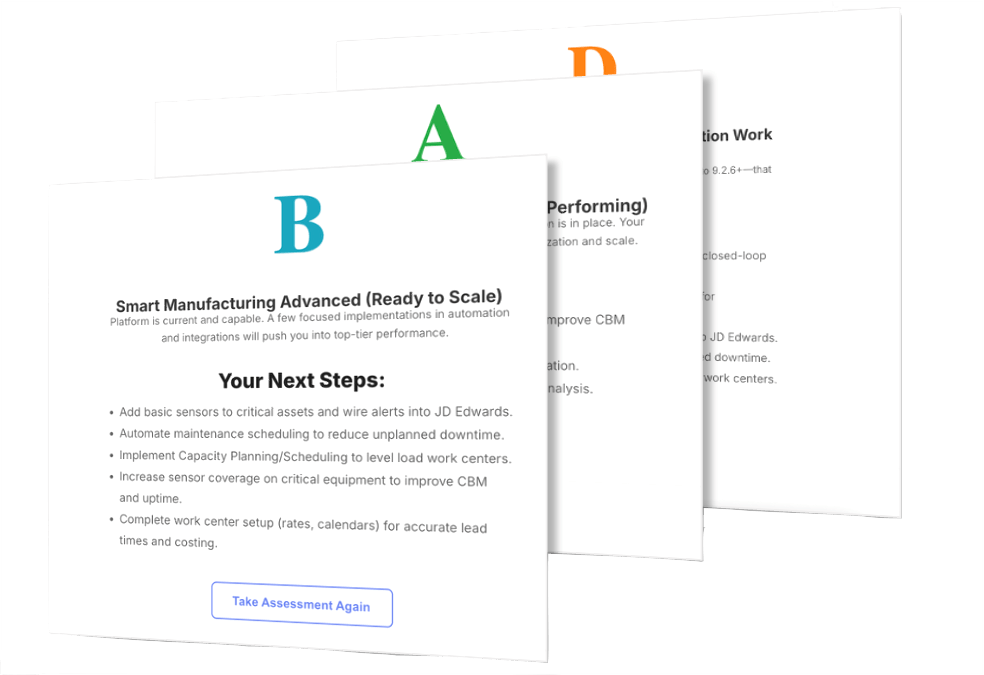
Smart Manufacturing Readiness Assessment evaluates how effectively your organization is using JD Edwards across manufacturing processes, automation, equipment maintenance, IoT integration, and digital transformation. Discover where your operations are performing well and where there's room to improve.
After completing the assessment, you'll receive a personalized letter grade reflecting your organization's current smart manufacturing readiness, along with recommendations and next steps for improvement.
See How Manufacturing Companies Are Modernizing with ERP Suites
Every manufacturing organization has unique challenges. Explore how manufacturers have partnered with ERP Suites to solve complex business challenges and maximize the value of their JD Edwards investment.
What our customers are saying
"With Scanability, migrating to 64-bit during our JD Edwards 9.2 upgrade became a non-issue. Scanning flows just worked because they were JDE business functions. I could count on one hand the issues we had when upgrading, and they were very very minor."

Cheryl Working | Ford Meter Box
“We selected ERP
Suites because they listened to what we needed…they did not try to persuade us to fit into previously defined activities."

Trisha Muir | Michelman
"I sat in the monthly review meeting today, and thanks to Scanability, this is the first meeting in years I heard we did not ship any incorrect parts last month!"

Barb Lipps | Dayton Lamina
Manufacturing Learning Center
Stay up to date on the latest manufacturing trends, modernization strategies, and JD Edwards best practices. Our resource library is designed to help manufacturers get more from their ERP investment.
Common Questions We Hear
What types of manufacturers does ERP Suites support?
ERP Suites works with manufacturers across a variety of industries, including discrete manufacturing, engineer-to-order (ETO), make-to-stock (MTS), make-to-order (MTO), and mixed-mode manufacturing. Our team helps organizations modernize, support, and optimize JD Edwards regardless of the complexity of their manufacturing operations.
Can you integrate JD Edwards with our manufacturing systems?
Yes. ERP Suites designs and implements integrations between JD Edwards and a wide range of business and manufacturing applications. Common integration projects include manufacturing execution systems (MES), warehouse and barcode solutions, shipping and logistics providers, EDI platforms, engineering and PLM systems, business intelligence tools, AI platforms, and other third-party applications.
What manufacturing processes can Scanability support?
Scanability helps manufacturers streamline warehouse and shop floor operations by enabling mobile barcode scanning for receiving, put-away, inventory transfers, material issues, work order completions, cycle counting, picking, packing, shipping, inventory adjustments, and lot and serial number tracking, all while updating JD Edwards in real time.
Can ERP Suites support older JD Edwards manufacturing environments?
Absolutely. Many manufacturers continue to operate older JD Edwards environments while planning modernization initiatives. ERP Suites helps organizations support existing environments, perform upgrades, migrate to the cloud, modernize user experiences, improve system performance, and develop long-term technology roadmaps that minimize disruption to production.
Do you support multi-site manufacturing organizations?
Yes. ERP Suites works with manufacturers operating multiple plants, warehouses, and distribution centers. We help organizations standardize processes, improve visibility across locations, optimize infrastructure, and ensure JD Edwards continues to support the needs of a growing business.
Can you help us migrate our environment to the cloud?
Yes. ERP Suites helps manufacturers migrate JD Edwards to Oracle Cloud Infrastructure (OCI), AWS, Azure, or our Private Cloud. We work with your team to develop a migration strategy that minimizes downtime, improves performance, and supports future modernization initiatives.
The Future of Manufacturing Starts with What You Do Today
There's more your JD Edwards environment can do for your manufacturing business. ERP Suites brings the expertise and innovative solutions to help you unlock new capabilities, improve operations, and prepare for what's next.